Small points of friction during the workday can easily derail focus. A slow computer, an uncomfortable chair, or a confusing communication platform might seem like minor annoyances. Over time, however, these tiny disruptions add up to hours of lost focus and frustration. Fixing these issues is a proven way to help teams get more done in less time and workplace.
Creating a highly efficient workspace requires thoughtful investments in both physical and digital infrastructure. Upgrading your office environment is about removing the roadblocks that keep people from doing their best work. When employees have the right tools, they spend less energy fighting their setup and more energy solving actual problems.
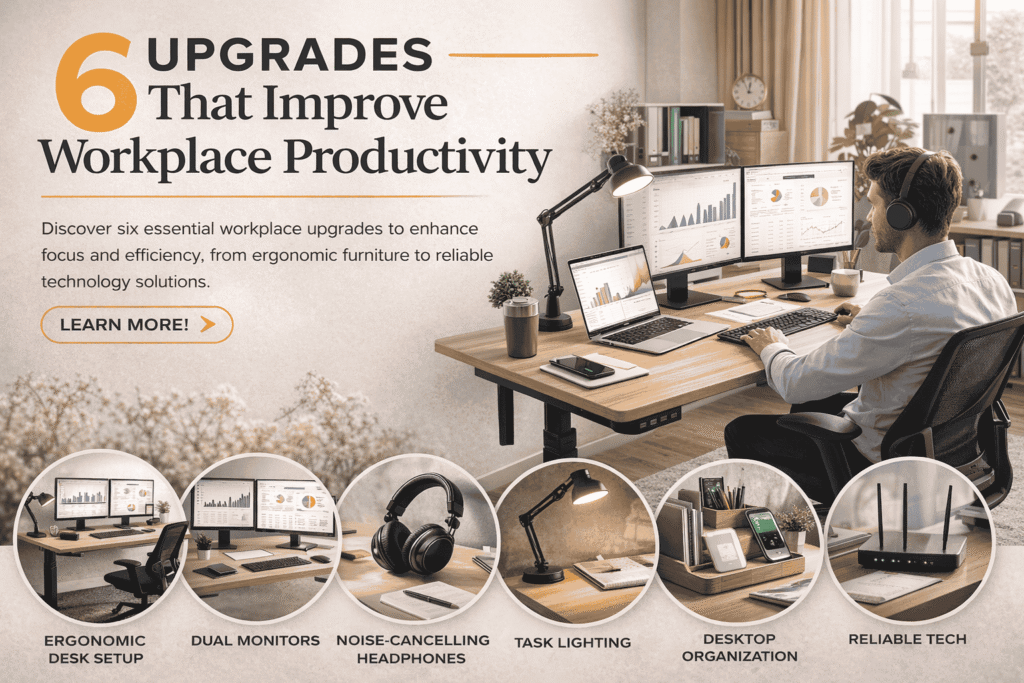
If you want to help your team achieve better results, you need to set the stage for success. Here are six essential workplace upgrades that will improve daily output and keep morale high.
1. Ergonomic Furniture for Better Posture
Physical discomfort is a massive distraction. When employees sit in poorly designed chairs, they often experience back pain, neck stiffness, and fatigue. This discomfort makes it incredibly difficult to concentrate on complex tasks for extended periods.
Investing in ergonomic office furniture transforms the daily employee experience. Adjustable chairs provide proper lumbar support, keeping the spine aligned. Standing desks give workers the option to change their posture throughout the day, which improves blood circulation and energy levels. When people feel physically comfortable, they naturally maintain higher levels of concentration and produce better workplace.
2. High-Speed Internet and Network Reliability
Few things drain momentum faster than a buffering screen or a dropped video call. A sluggish internet connection forces employees to wait for files to upload, pages to load, and emails to send. These micro-delays break the state of flow and cause unnecessary stress.
Upgrading your network infrastructure guarantees that digital operations run smoothly. A robust, enterprise-grade router and a high-bandwidth internet plan allow multiple team members to stream, download, and collaborate simultaneously without lag. Reliable connectivity is the backbone of modern business operations, ensuring that technical hiccups never slow down your team’s output.
3. Streamlined Team Communication Platforms
When communication is scattered across emails, text messages, and sticky notes, important information easily falls through the cracks. Team members waste valuable time searching for project updates or trying to figure out who is handling specific tasks. This fragmentation leads to duplicated efforts and missed deadlines.
Centralizing your internal communication into a single platform eliminates this confusion. Tools that organize conversations into distinct channels help keep project discussions focused and accessible. Team members can quickly share files, ask questions, and collaborate in real time. Clear communication pathways prevent misunderstandings and keep projects moving forward efficiently.
4. Dual Monitors for Expanded Workspace
Navigating between multiple open windows on a single, small screen is a tedious process. Constantly minimizing and maximizing tabs breaks concentration and increases the likelihood of making errors. For roles that require comparing documents, data entry, or coding, a single screen simply does not offer enough visual real estate.
Providing employees with dual monitors dramatically expands their digital workspace. A second screen allows workers to keep reference materials open on one side while actively typing or designing on the other. This simple hardware upgrade reduces the time spent toggling between applications, leading to a much smoother and faster daily workflow.
5. Optimized Office Lighting
Harsh fluorescent lights are notorious for causing headaches and eye strain. Conversely, a dimly lit office makes people feel tired and sluggish. Lighting plays a surprising role in regulating energy levels and mood throughout the workday.
Upgrading to smart LED lighting systems that mimic natural daylight can make a profound difference. Even better, maximizing natural light by moving desks closer to windows can boost vitamin D absorption and improve overall employee well-being. Good lighting reduces eye fatigue during long hours of screen time, helping staff remain alert and focused from morning until the afternoon.
6. Proactive Tech Support and Maintenance
Even the best technology fails occasionally. When software crashes or a server goes down, work completely stops. Expecting employees to troubleshoot complex technical issues themselves takes them away from their core responsibilities and often makes the problem worse.
Having dedicated experts handle your technology ensures these roadblocks are cleared quickly. Partnering with a specialized team for IT consulting in Utah, for example, gives your business access to proactive maintenance and rapid problem-solving. Knowing that technical support is just a phone call away gives employees peace of mind. They can focus entirely on their projects while professionals keep the digital infrastructure running flawlessly.
Building a Foundation for Better Output
Improving workplace output is rarely about pushing people to work harder. It usually comes down to equipping them to work smarter. By replacing outdated tools and uncomfortable setups with modern solutions, you eliminate the daily frustrations that drain energy.
Take a walk through your office or review your digital toolset. Identify the areas where your team experiences the most friction. A few targeted upgrades will quickly translate into a more energized, capable, and highly productive workforce.