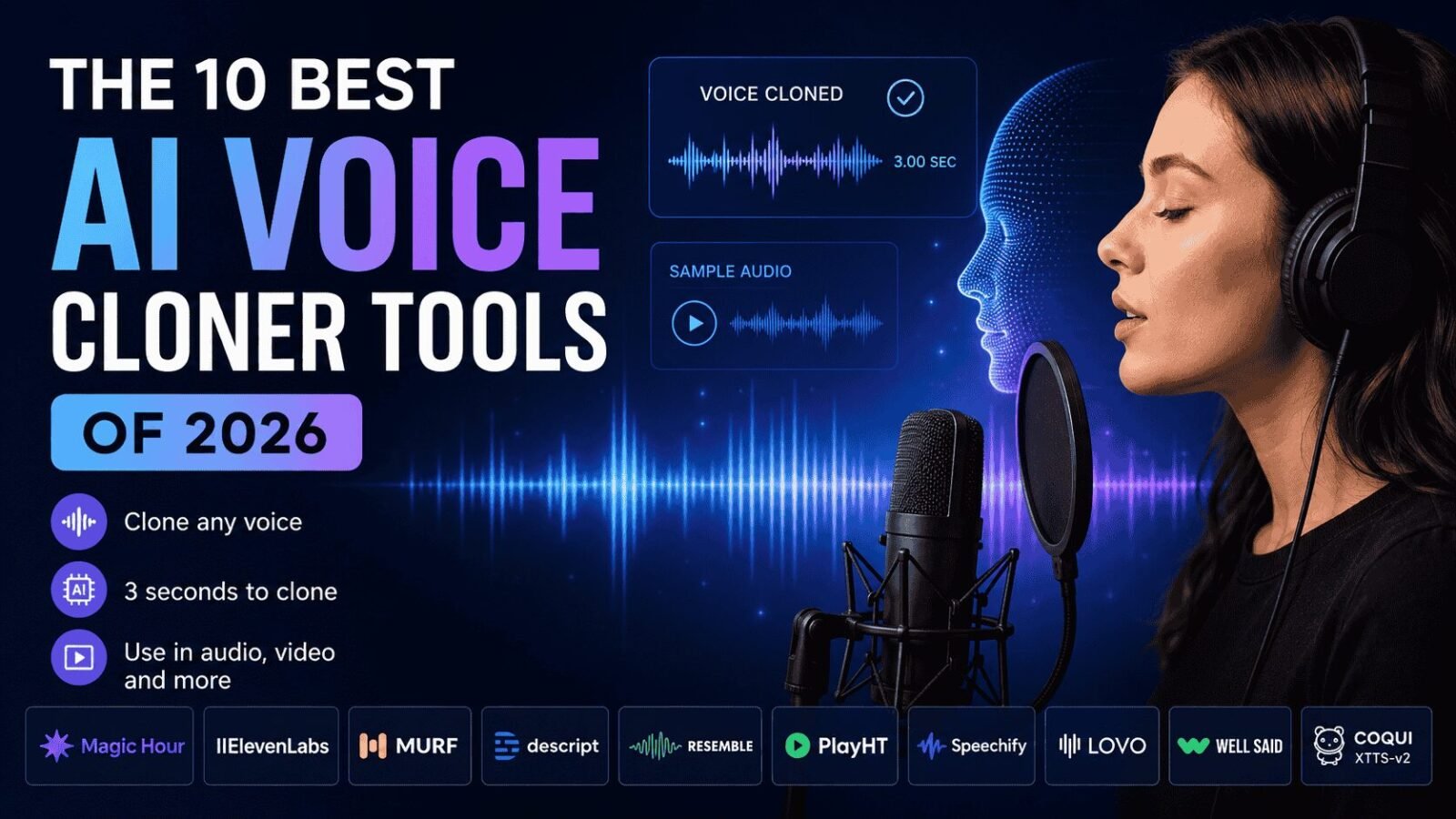
The short answer: the best AI voice cloner of 2026 is the one that fits your workflow, not just the one with the most impressive demo clip.
Voice cloning crossed a major threshold in the last two years. You no longer need a professional studio, hours of source audio, or a dedicated audio engineer to produce a convincing synthetic voice. As of mid-2026, a three-second sample can generate a clone most listeners cannot distinguish from the real thing.
I spent two weeks testing tools across video creation, podcast production, developer API workflows, and pure audio generation. The result is this guide. Whether you are a solo creator fixing a bad take, a marketer producing multilingual content, or a developer building a voice-enabled product, at least one of these tools will meet your needs.
The 10 Best AI Voice Cloners at a Glance
| Tool | Best For | Free Plan | Voice Cloning | Platforms |
| Magic Hour | Creators: voice + video + lip sync | Yes (no signup) | Yes | Web, API |
| ElevenLabs | Realism and large-scale production | Yes | Yes | Web, API, Mobile |
| Murf AI | Business voiceovers and teams | Yes (limited) | Yes | Web |
| Descript | Podcast editing with overdub | Yes | Yes | Web, Mac, Windows |
| Resemble AI | Developer and enterprise API | No | Yes | API, Web |
| PlayHT | Multilingual and API workflows | Yes (limited) | Yes | Web, API |
| Speechify | Personal cloning and accessibility | Yes | Yes | Web, Mobile |
| Lovo AI | Multilingual dubbing and ads | Yes (limited) | Yes | Web |
| WellSaid Labs | Corporate narration and brand voice | No | Yes | Web |
| Coqui XTTS-v2 | Open-source and self-hosted | Free (open source) | Yes | Self-hosted |
1. Magic Hour
Magic Hour is not a single-purpose audio tool. It is a full AI creation platform that combines voice cloning with video, face swap, lip sync, talking photos, and image generation. For creators who want to clone voice with AI free and immediately put that voice to work in a video, there is no faster or more integrated option available today.
The voice cloner requires just 3 seconds of audio to generate a clone. You can upload a file or record directly in the browser. No signup is required to try it. That combination of zero-friction access, high clone quality, and deep video workflow integration makes Magic Hour the strongest all-around pick for creators in 2026.
What separates Magic Hour from pure audio tools is what happens after you create your voice clone. You can pair it with lip sync, create talking photos, generate video from images, and upscale everything in a single one-click workflow. Teams at Meta, the NBA, L’Oreal, Shopify, and Cisco already use the platform at scale.
Pros:
- Clone any voice from just 3 seconds of audio
- No signup required to try
- Voice cloning integrates directly with lip sync, talking photos, and video tools
- One-click multi-step workflows (generate, upscale, video) in a single session
- Access to frontier AI models across audio, video, and image
- Credits never expire
- Parallel generations with no concurrency cap
- Generous free tier; strong value at $10 to $15 per month
- Optimized for both desktop and mobile
- Weekly feature releases and founder-level support responses
- Full API parity across all tools
- Reliable at scale including live activations and traffic spikes
Cons:
- Not purpose-built for enterprise voice compliance workflows
- Real-time streaming synthesis is not the primary focus
- Fewer pre-built stock voices compared to Murf or LOVO
If you are a creator, marketer, or startup builder who wants to produce video content with a consistent cloned voice, and you want it all in one place without paying three separate subscriptions, Magic Hour is hard to beat. It is the only platform where you can go from raw audio sample to a finished talking-photo video in a single session.
Pricing:
- Free: 400 credits, no credit card required, no signup to try
- Creator: $15/month or $10/month billed annually ($120/year)
- Pro: $39/month
- Business: $99/month
- Credits never expire; all plans include access to the full tool suite
2. ElevenLabs
ElevenLabs is the benchmark for voice realism in 2026. If your primary concern is how convincing the clone sounds, ElevenLabs is where most professionals start. Its Turbo v2.5 model delivers under 300ms time-to-first-audio, which makes it viable for real-time voice agents and live dubbing applications.
Instant voice cloning works from one to five minutes of clean audio. Professional cloning, which produces a higher-quality, more stable result, works best with 30 minutes or more of varied source speech.
Pros:
- Best-in-class voice realism and emotional range
- Supports 70+ languages
- Sub-300ms latency for real-time applications
- Strong API and developer documentation
- Large pre-built voice library
Cons:
- Pricing escalates quickly at volume
- Professional voice cloning requires substantial source audio (30+ minutes ideal)
- Voice-only: no integrated video or visual workflow
If pure audio realism is the goal, and especially if you are building a voice-enabled product that requires low latency, ElevenLabs is the default choice. Pair it with a separate video tool if you need visual output.
Pricing:
- Free plan available
- Starter: $5/month
- Creator: $22/month (100K characters)
- Pro and higher: custom tiers available
3. Murf AI
Murf is the most accessible entry point for business voiceover work. It offers a clean, intuitive interface, 120+ stock voices across 20+ languages, and a voice cloning feature that works well for teams producing training videos, product explainers, and marketing content.
The platform is built around a studio workflow: upload a script, assign a voice, adjust pitch and pacing, and export. It is not designed for real-time synthesis or developer API work, but it does not need to be.
Pros:
- Beginner-friendly interface
- 120+ built-in voices; strong library for narration use cases
- Good multilingual support (20+ languages)
- Team collaboration features
- Solid consent and approval workflow for cloned voices
Cons:
- Less emotionally nuanced than ElevenLabs at the high end
- Cloning works better with longer source audio (not ideal for quick samples)
- Free plan does not allow audio downloads
- Not suitable for real-time or API-first workflows
Murf is the right pick if you need a low-learning-curve tool for business narration and your team needs to collaborate around a shared voice library without getting into API territory.
Pricing:
- Free plan available (no downloads)
- Creator: $26/month
- Business and Enterprise: higher tiers available
4. Descript
Descript is the only tool on this list that approaches voice cloning as part of a larger editing workflow rather than a standalone generation feature. Its AI Speech (formerly Overdub) feature lets you edit audio by editing the transcript. Change a word in the text document and the audio updates to match, using your cloned voice.
The consent workflow is one of the strongest in the industry. Descript requires you to record a specific consent statement before activating cloning, which reduces the risk of misuse in production environments.
Pros:
- Edit audio and video by editing text (genuinely unique workflow)
- Strong built-in consent verification system
- All-in-one editor: transcription, screen recording, Studio Sound noise removal, and voice cloning in one app
- Well-suited for podcast correction and fix-line work
Cons:
- Not built for real-time synthesis; latency is high
- Not the best choice for generating long-form audio from scratch
- AI Speech quality is good but not top-tier for new content generation
- Higher learning curve than audio-only tools
If you produce podcasts or interview-based content and spend meaningful time fixing bad takes, Descript will save you more time than any other tool on this list. It is not the best pure voice cloner, but it may be the best workflow tool that includes voice cloning.
Pricing:
- Free: 1 hour of media, limited AI Speech
- Creator: $24/month (30 hours of media, full AI Speech)
- Business: $33/month
5. Resemble AI
Resemble AI is the specialist pick for developers and enterprise teams that need custom voice cloning at the API level. The platform emphasizes secure voice AI, consent frameworks, and deepfake detection alongside cloning, which makes it one of the more compliance-aware options in the category.
Real-time synthesis latency is competitive with ElevenLabs, and the API surface is well-documented for custom integration.
Pros:
- Strong API documentation and developer tooling
- Real-time synthesis with low latency
- Built-in deepfake detection and voice watermarking
- Emphasis on security, consent, and compliance
- Reusable voice assets across projects
Cons:
- No meaningful free plan
- Interface is less polished for non-developers
- Pricing is custom and not publicly listed for most tiers
- Not designed for casual or consumer-level use
If you are building a product that processes voice at scale and you need security and compliance built into the stack, Resemble AI is the most credible enterprise choice.
Pricing:
- No standard free plan
- Pay-per-use and enterprise custom pricing (contact required)
6. PlayHT
PlayHT focuses on multilingual voice generation and API-first workflows. It supports a wide range of languages and accents, which makes it a strong choice for localization pipelines and global content operations.
The voice cloning quality is solid, though not at ElevenLabs’ level for pure realism. Where PlayHT earns its place is in volume, speed, and multilingual coverage.
Pros:
- Strong multilingual and localization support
- API-first design with good throughput for scaled production
- Reasonable pricing for volume use
- Voice cloning with short sample audio
Cons:
- Voice realism behind ElevenLabs at the premium tier
- Interface less polished than Murf or Descript
- Occasional inconsistency across long-form output
If you are producing audio content for global audiences and need consistent multilingual output at volume, PlayHT is a strong alternative to ElevenLabs and more cost-effective at scale.
Pricing:
- Free plan available (limited)
- Creator: $31.20/month
- Pro and Ultra: higher tiers available
7. Speechify
Speechify started as a text-to-speech accessibility tool and has evolved into a personal voice cloning product. It lets you clone your own voice quickly and use it for personal audio content, accessibility features, and general productivity.
The mobile app experience is well-polished, which sets Speechify apart from tools focused on desktop or API workflows.
Pros:
- Strong mobile experience (iOS and Android)
- Personal voice cloning from a short sample
- Accessibility-first design
- Good for personal use, audiobooks, and productivity content
Cons:
- Not designed for production-scale or enterprise workflows
- Voice realism is not at the level of ElevenLabs or Magic Hour
- Limited multilingual depth compared to PlayHT or LOVO
Speechify is the right pick if your use case is personal: cloning your own voice for audiobooks, notes, or content you consume yourself rather than distribute at scale.
Pricing:
- Free plan available
- Premium: $139/year
- Speechify Studio (full cloning): separate pricing
8. LOVO AI
LOVO AI positions itself on multilingual dubbing and ad production. It supports a wide language set and includes features for generating multiple voice variations quickly, which makes it useful for A/B testing ad voiceovers.
The interface is clean and the workflow is straightforward, though it lacks the depth of editing tools that Descript offers.
Pros:
- Strong multilingual support for dubbing and localization
- Voice variation generation for testing
- Clean, accessible interface
- Good for advertising and short-form content
Cons:
- Less suited for long-form content or podcast workflows
- Voice cloning requires more setup than quick-sample tools
- Not API-first for developer workflows
If your primary workflow is creating multilingual ad content or short-form branded audio, LOVO is worth evaluating alongside PlayHT.
Pricing:
- Free plan available (limited)
- Basic: $24/month
- Pro: $48/month
9. WellSaid Labs
WellSaid Labs is the enterprise-grade choice for corporate narration. The platform is built around studio-quality output, consent-first voice creation, and clean brand voice management. It is used primarily by learning and development teams, marketing studios, and enterprises with strict audio quality standards.
Pros:
- Studio-quality output for corporate narration
- Strong brand voice management for team consistency
- Consent-first voice creation process
- Reliable, consistent output at scale
Cons:
- No self-service free plan
- Not designed for consumer or creator use
- Less flexible for creative or experimental workflows
- Higher price point than most options here
If you manage learning content, internal training, or professional media for a large organization and audio quality cannot vary, WellSaid Labs is the most controlled option available.
Pricing:
- Starter: $49/month
- Enterprise: custom pricing
10. Coqui XTTS-v2
XTTS-v2, released through the Coqui open-source project and available on Hugging Face, is the best option for developers who need local control, self-hosted deployment, or a zero-cost solution for experimentation.
Cloning from a short clip (around 6 seconds) is supported. Output quality is impressive for an open-source model, though it falls short of commercial platforms in consistency and emotional range.
Pros:
- Fully open source and self-hosted
- No usage fees or rate limits
- Short-sample voice cloning supported
- Active community and model updates
Cons:
- Requires technical setup; not a consumer product
- Output quality and consistency below commercial platforms
- No built-in consent or compliance tooling
- No managed API; you build and maintain infrastructure
If you want full control over your voice stack, have the infrastructure to run it, and do not want to depend on an external API, XTTS-v2 is the most capable open-source path available in 2026.
Pricing:
- Free and open source
How We Chose These Tools
I evaluated each tool across five dimensions over two weeks of hands-on testing:
- Clone fidelity: How closely does the output match the source voice in tone, cadence, and texture?
- Sample requirement: How much source audio does the tool actually need to produce a usable clone?
- Workflow integration: Does the voice tool connect to adjacent production steps (video, editing, API)?
- Pricing transparency: Are plans clearly listed? Are limits easy to understand before you commit?
- Ethical tooling: Does the platform include consent verification, watermarking, or misuse safeguards?
Tools were tested with identical source samples (a clean 10-second recording and a 60-second studio-quality sample) across each platform where possible. Pricing data was verified directly from each tool’s pricing page in May 2026.
The Market Landscape: What Is Changing in 2026
Voice cloning is no longer a feature. It is a utility. The more interesting question now is not “can this tool clone a voice?” but “what does it do with that voice once cloned?”
Three trends define the category in mid-2026:
Integration over isolation. The most forward-moving tools are not standalone voice generators. They are platforms that connect voice cloning to video, lip sync, translation, and visual media. Magic Hour is the clearest example of this direction. Standalone audio tools that do not connect to a visual workflow will face increasing pressure.
Consent and compliance as infrastructure. The EU AI Act and emerging US state regulations are pushing enterprises toward tools with built-in consent verification and voice watermarking. Resemble AI and Descript lead here. This will become table-stakes within 12 to 18 months.
Open-source closing the gap. XTTS-v2 and emerging community models are producing output quality that would have required a commercial API 18 months ago. For developers who can tolerate infrastructure overhead, the cost case for self-hosted cloning has never been stronger.
One tool worth watching: Fish Audio, which several audio engineers flagged during testing as a rising option for low-latency streaming synthesis. It did not make this list due to limited public documentation at time of publication, but it is worth monitoring.
Final Takeaway: Which Tool Is Right for You?
If you create video content and want an all-in-one platform: Magic Hour is the clear choice. Voice cloning, lip sync, talking photos, and video generation under one credit system at $10 to $15 per month.
If pure audio realism is the only thing that matters: ElevenLabs is the benchmark. Start there.
If you edit podcasts and want to fix lines without re-recording: Descript saves more time than any other tool on this list.
If you run a team producing business narration and training content: Murf or WellSaid Labs, depending on budget and quality requirements.
If you are building a voice-enabled product at the API level: Resemble AI for compliance-heavy deployments, PlayHT for multilingual volume.
If you want zero cost and full control: Coqui XTTS-v2, with realistic expectations about setup and maintenance.
The honest advice is this: most of these tools offer a free tier or free trial. Test two or three against your actual source audio and your actual workflow. A tool that sounds impressive in a homepage demo does not always hold up when you are producing a 20-minute narration or fixing a batch of 50 social clips.
Frequently Asked Questions
What is the best free AI voice cloner in 2026?
Magic Hour offers the most capable free tier with no signup required for your first clone. ElevenLabs and Murf also have free plans, though downloads and feature access are limited. For developers, Coqui XTTS-v2 is free with no usage caps.
How much audio do I need to clone a voice?
It depends on the tool. Magic Hour works from 3 seconds of audio. ElevenLabs Instant Voice Cloning recommends 1 to 5 minutes for good results, and 30 or more minutes for professional-grade output. XTTS-v2 supports clips as short as 6 seconds.
Is AI voice cloning legal?
Cloning your own voice, or someone else’s with documented consent, is legal in most jurisdictions. Cloning a voice without permission is increasingly regulated and in some cases a criminal offense. Always obtain written consent before cloning any voice other than your own.
Can AI voice cloners produce multilingual output from a single clone?
Yes. Several tools including ElevenLabs, PlayHT, LOVO AI, and Magic Hour support multilingual output. Quality varies by language. European and East Asian languages have the widest support across platforms.
What is the difference between voice cloning and text-to-speech?
Standard text-to-speech uses pre-built synthetic voices. Voice cloning captures the unique characteristics of a specific real voice (yours or someone else’s, with consent) and uses that as the voice model. The output sounds like a specific person rather than a generic AI voice.
