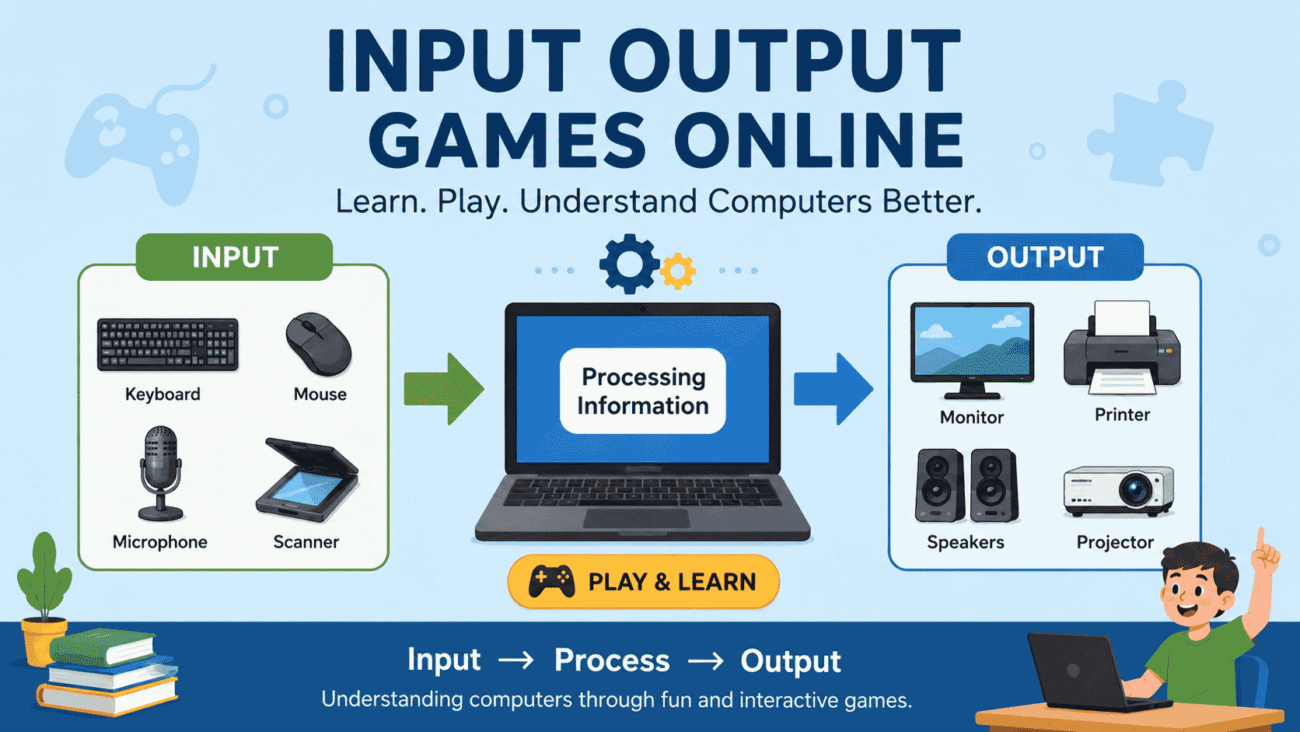
Learning how computers work doesn’t have to begin with coding lessons or technical manuals. For many students, the easiest way to understand basic computing concepts is by playing simple, interactive activities. That’s where input output games online come in.
These games are designed to teach players how computers receive information (input), process it, and produce results (output). Whether you’re a teacher introducing computer science, a parent helping a child learn technology basics, or a student reviewing classroom lessons, online input and output games can make abstract concepts much easier to understand.
In this guide, we’ll explore what input output games are, why they’re useful, where they’re commonly used, and how to choose activities that support real learning instead of simple entertainment.
What Are Input Output Games Online?
Input output games online are interactive educational activities that teach players how computers handle information.
The concept is simple:
- A user provides input.
- The computer processes the information.
- The computer produces output.
Games turn this process into hands-on challenges, helping learners understand technology by interacting with it instead of only reading about it.
For example, a game might ask students to click the correct input device for a specific task or identify which output device displays information.
These activities reinforce important computer science concepts in a memorable way.
Understanding Input and Output
Before playing educational games, it’s helpful to understand the basic terminology.
What Is Input?
Input refers to information sent to a computer.
Common examples include:
- Keyboard
- Mouse
- Touchscreen
- Microphone
- Scanner
- Webcam
Whenever a user types, clicks, speaks, or touches a screen, they’re providing input.
What Is Output?
Output is the information a computer sends back to the user.
Examples include:
- Monitor
- Printer
- Speakers
- Headphones
- Projector
The computer processes data and presents the results through one or more output devices.
Understanding this relationship forms the foundation of many beginner computer science lessons.
Why Input Output Games Work So Well
Educational games simplify technical topics by encouraging active participation.
Instead of memorizing definitions, learners practice identifying devices and understanding how information moves through a computer system.
Learning by Doing
Students often remember concepts more effectively when they interact with them.
Games encourage experimentation without fear of making mistakes.
Immediate Feedback
Most online activities provide instant responses after each answer.
This allows learners to correct misunderstandings right away.
Increased Engagement
Children who struggle with traditional worksheets may become more interested when lessons are presented as interactive challenges.
Better Retention
Repeated practice through gameplay reinforces concepts over time.
Many students find it easier to remember information they’ve actively used rather than simply read.
Who Can Benefit from Input Output Games?
These educational activities aren’t limited to one age group.
Different learners can use them in different ways.
Elementary Students
Young learners often use input output games to recognize common computer devices and understand their basic functions.
Middle School Students
Older students begin exploring how hardware and software interact during everyday computer use.
Games help reinforce classroom lessons in an engaging format.
Teachers
Teachers frequently include online activities as review exercises, classroom stations, or introductory lessons before more advanced topics.
Parents
Parents can use these games at home to introduce technology concepts without requiring expensive software or specialized equipment.
Common Activities Found in Input Output Games
Although every educational website is different, many games include similar learning exercises.
Device Sorting
Players classify hardware as either an input or output device.
This helps reinforce basic terminology.
Matching Challenges
Students match devices with their correct functions.
For example, pairing a printer with printed documents or a microphone with voice input.
Interactive Quizzes
Multiple-choice questions encourage learners to apply what they’ve learned.
Many quizzes provide explanations after each answer.
Drag-and-Drop Exercises
Children move objects into the correct categories using simple mouse or touchscreen controls.
These activities are especially effective for younger students.
Classroom Learning vs Online Games
Both teaching methods have strengths.
| Traditional Lessons | Input Output Games Online |
|---|---|
| Teacher-led instruction | Interactive learning |
| Written exercises | Hands-on activities |
| Classroom discussions | Immediate feedback |
| Textbook examples | Visual demonstrations |
| Scheduled lessons | Self-paced practice |
Using both approaches together often creates the best learning experience.
Real-World Example
Imagine a fifth-grade classroom learning about computer hardware.
Instead of only reading a chapter from a textbook, students play an online game where they identify which devices send information into the computer and which devices display or produce information afterward.
When a student correctly places a keyboard in the input category and a monitor in the output category, the lesson becomes more memorable because they’re actively participating rather than passively reading.
This practical approach helps students build confidence before moving on to more advanced computer science topics.
How to Choose the Best Input Output Games Online
Not every educational game offers the same learning experience. Some focus on entertainment, while others are carefully designed to reinforce classroom concepts.
When selecting an activity, look for games that explain why an answer is correct instead of simply marking it right or wrong. This helps learners understand the concept rather than relying on guesswork.
A well-designed game should also match the student’s age and skill level. Younger children benefit from colorful visuals and simple drag-and-drop activities, while older students may prefer quizzes and problem-solving challenges.
If possible, choose games that allow students to replay lessons. Repetition strengthens understanding and helps build long-term memory.
Tips for Parents and Teachers
Educational games work best when they’re part of a larger learning plan rather than the only teaching method.
Parents can sit with younger children during gameplay and ask questions such as, “Why do you think a keyboard is an input device?” or “What happens after you click the mouse?”
Teachers can use these games as warm-up activities before introducing new topics or as review exercises at the end of a lesson.
Combining online games with hands-on practice, such as identifying real computer hardware, helps students connect digital learning with real-world experiences.
Common Mistakes to Avoid
One common mistake is memorizing device names without understanding their purpose. Students should know not only that a scanner is an input device but also why it belongs in that category.
Another mistake is assuming every device fits neatly into one group. Some modern devices, such as touchscreens, perform both input and output functions. Educational games should explain these exceptions to avoid confusion.
It’s also important not to rush through activities. Taking time to read instructions and explanations often leads to better understanding than simply trying to finish quickly.
Finally, avoid relying only on games. They work best when combined with classroom instruction, discussions, and practical examples.
Expert Tips for Better Learning
One of the most effective ways to reinforce computer concepts is to connect games with everyday technology.
After completing an online activity, ask students to identify input and output devices around the house or classroom.
For example, they might recognize:
- A keyboard as an input device.
- A monitor as an output device.
- A microphone as input.
- Speakers as output.
This simple exercise helps students apply what they’ve learned beyond the screen.
Teachers can also encourage teamwork by having students explain their answers to classmates. Teaching others is a powerful way to reinforce understanding.
Pros and Cons of Input Output Games Online
| Pros | Cons |
|---|---|
| Makes computer concepts easier to understand | Requires internet access for most activities |
| Keeps students engaged through interaction | Some games oversimplify complex topics |
| Provides immediate feedback | Educational quality varies between websites |
| Suitable for home and classroom learning | Should not replace hands-on instruction |
| Encourages independent practice | Younger children may still need adult guidance |
When used appropriately, the advantages far outweigh the limitations.
FAQs About Input Output Games Online
What are input output games online?
Input output games online are educational activities that teach learners how computers receive information through input devices and deliver results through output devices using interactive gameplay.
Who should use these games?
They are ideal for elementary and middle school students, teachers introducing computer basics, parents supporting learning at home, and anyone new to computer science concepts.
Are input output games suitable for classrooms?
Yes. Many teachers use them as review activities, technology center tasks, homework assignments, or introductions to computer hardware lessons.
Can these games replace traditional computer lessons?
No. They work best as a supplement to textbooks, teacher instruction, and hands-on activities involving real computer hardware.
What devices are usually included in these games?
Most activities feature common devices such as keyboards, mice, monitors, printers, microphones, speakers, webcams, scanners, and touchscreens.
Conclusion
Understanding how computers process information is one of the first steps toward building digital literacy, and input output games online make that learning process far more engaging. By turning technical concepts into interactive challenges, these games help students recognize computer hardware, understand how information flows through a system, and develop confidence with basic technology skills.
Whether you’re teaching a classroom, helping your child study at home, or learning the fundamentals yourself, educational games provide an enjoyable way to reinforce important concepts. Combined with real-world examples and classroom instruction, they can make computer science both accessible and memorable.
