In the modern fast-paced world, whether you are a professional or a student, mobile presentations, lectures, or on-the-go entertainment systems are often necessary. A Mini 4k projector provides the perfect balance between compact size and high quality visuals, making it a game-changer for users who value mobility without compromising image quality.
Unlike conventional projectors, these devices combine ultra-high-definition clarity with portability, allowing easy setup anywhere be it a conference room, hotel room, or outdoor location.
Why a Mini 4K Projector is the Best Travel Companion
Carrying large equipment can be cumbersome, and traditional projectors often require significant space and setup. A mini projector with 4K resolution overcomes these obstacles. These devices are lightweight and small enough to fit into a backpack or luggage while still delivering sharp and detailed images.
A mini 4K projector is perfect for presenting slides to clients, sharing educational content during study sessions, or streaming movies on the go. Its clarity and professional-grade visuals make it suitable for every situation.
One of the most significant advantages of mini projectors is their adaptability to different environments. Many modern models come with auto-keystone correction, wireless connectivity, and multiple input options, allowing content projection from laptops, smartphones, or USB drives effortlessly. This versatility makes them ideal for business, school, or travel entertainment.
Essential Features to Consider
Choosing the right 4K mini projector involves more than just resolution. Brightness, measured in lumens, is critical for clear images in well-lit environments. A higher contrast ratio enhances depth, making visuals more engaging and easier to read during presentations.
Portability is also a key factor. Most mini projectors weigh less than a kilogram but include advanced optics that rival larger devices. Battery life matters as well, enabling continuous projection during travel without frequent access to power outlets.
Connectivity options such as HDMI, USB-C, and Wi-Fi streaming improve usability, offering multiple ways to display content without complicated setups.
How to Set Up a Mini 4K Projector for Presentations
Proper setup is essential to maximize the effectiveness of a mini 4K projector. Start with a flat projection surface, such as a white wall or a portable screen. Adjust the projector distance to achieve the desired screen size while keeping the image sharp.
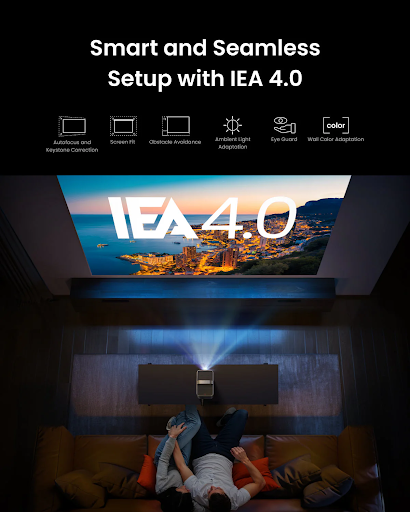
Features like auto-focus and keystone correction help correct distortion, ensuring professional-looking presentations without extensive adjustments.
Pairing the projector with a compact speaker system enhances audio clarity, especially in larger rooms. Wireless screen mirroring or HDMI connections allow seamless integration with laptops, tablets, or smartphones, reducing cable clutter and simplifying setup.
Benefits Beyond Presentations
A mini 4K projector is not limited to professional use. It is also suitable for personal applications such as watching movies during travel, organizing impromptu outdoor movie nights, or gaming on the move.
For students, it can make study sessions more interactive by projecting lecture notes or educational videos on larger surfaces. Portable and convenient, these projectors deliver high-quality visuals anywhere, demonstrating that space and location should not limit performance or enjoyment.
Mini 4K Projector Compared to Traditional Projectors
Standard 4K projectors may provide higher brightness and larger screen coverage, but they are less convenient for travel due to size and weight. Mini 4K projectors excel in portability and ease of setup.
They allow projection in smaller spaces without sacrificing much image quality, making them ideal for hotel rooms, small conference areas, or classrooms.
A mini projector also consumes less power and generates less heat, making them safer and easier to use in tight spaces. Advances in LED and laser projection technology now allow compact models to deliver vibrant colors, sharp details, and large screen sizes, proving that small devices can still produce professional results.
Conclusion
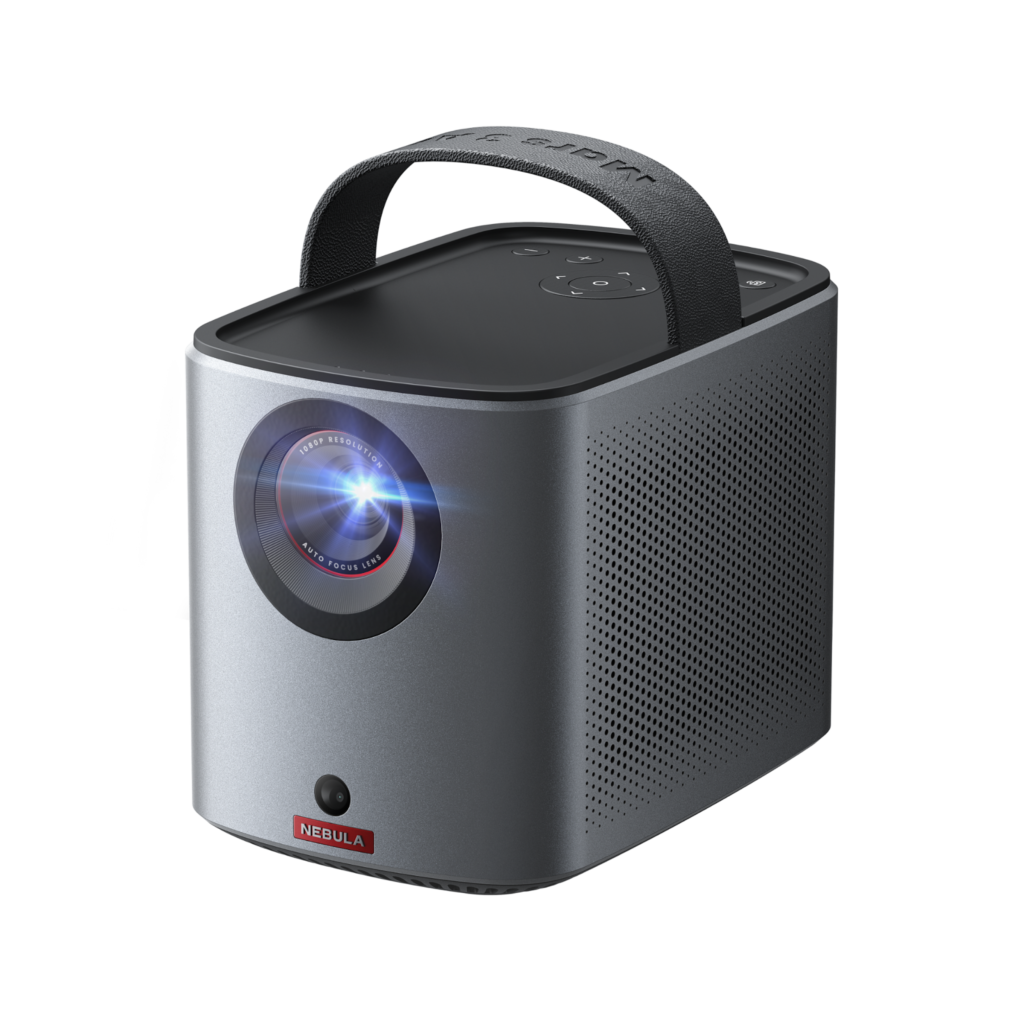
A mini 4K projector is a powerful companion for frequent travelers or anyone who needs a portable presentation tool. These compact devices combine portability, high-definition clarity, and versatile connectivity to deliver professional, immersive, and convenient visual experiences anywhere.
Whether for work, education, business meetings, or personal entertainment, investing in a mini 4K projector ensures your content always looks clear, professional, and engaging. With the right choice, small spaces can feel larger and more dynamic, making travel and presentations easier and more enjoyable.
FAQs About Mini 4K Projector
Is it possible to project with a mini 4K projector in large rooms?
Mini 4K projectors are best suited for small to medium-sized rooms. For very large venues, higher-lumen external projectors may be required, but mini 4K projectors still provide excellent results in most travel and office scenarios.
Are mini 4K projectors effective in bright environments?
Modern mini projectors with high lumens can perform well in moderately lit rooms. Slightly dimming the lights can improve image sharpness and color vibrancy.
Can mini 4K projectors be used outdoors?
Yes, many compact 4K projectors can be used outdoors, provided there is a flat surface and minimal ambient light for clear projection.
What is the typical battery life of a mini 4K projector?
Battery life varies by model, typically ranging from 2 to 5 hours depending on brightness settings and usage. Some models support external power banks for extended operation.
Can a mini 4K projector connect to a smartphone?
Absolutely. Many mini projectors support wireless casting, HDMI, or USB-C connections, allowing easy projection from smartphones, tablets, or laptops.