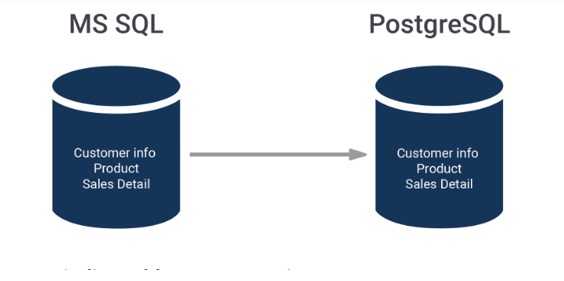
Migrating from MS SQL to PostgreSQL is common whilst reducing licensing costs or adopting an open-source, cloud-pleasant database. At the same time as each are relational databases, there are significant differences in square syntax, information types, capabilities, and transaction conduct—so cautious planning is required.
In summary, database migration from SQL Server to PostgreSQL involves:
- Understanding feature differences
- Converting schema
- Transferring data
- Migrating logic (views, triggers, procedures, functions)
- Updating application code
- Testing and validating
PostgreSQL is stricter, more standards-compliant, and uses different syntax—so your success depends on proper translation of types, constraints, and T-SQL code.
Prepare to Migration
Always back up before migrating:
BACKUP DATABASE YourDB TO DISK = ‘C:\backup\YourDB.bak’
Install optional migration tools to automate some parts of the procedure:
- pgloader (excellent for automated migrations)
- AWS Schema Conversion Tool (SCT)
- MSSQL-to-PostgreSQL (easy-to-use GUI tool with CLI feature)
Analyze the Existing SQL Server Database
Before any schema conversion or data movement, you must thoroughly understand the source SQL Server environment. This prevents surprises such as incompatible data types, missing constraints, broken stored procedures, or performance regressions in PostgreSQL.
Start from checkingthe database size:
SELECT
DB_NAME(database_id) AS DatabaseName,
(size * 8 / 1024) AS SizeMB
FROM sys.master_files
WHERE DB_NAME(database_id) = ‘YourDBName’;
DB collation is important for sorting and case-sensitivity differences. Collation mismatch affects sorting, comparisons, and indexing.
Inventorize the schema including:
- Table structures
- Data types (pay attention to user-defined types)
- Constraints and defaults
- Indexes and triggers
- Views, stored procedures, functions
- Sequences/identity columns
Here is the query to detect deprecated/incompatible types:
SELECT
t.nameASTableName,
c.nameASColumnName,
ty.nameASDataType
FROMsys.columns c
JOINsys.tables tONc.object_id=t.object_id
JOINsys.types tyONc.user_type_id=ty.user_type_id
WHEREty.nameIN('text','ntext','image','sql_variant');
Other MS SQL Server features that require translation:
- SQL Agent → pg_cron / custom scheduler
- Linked Servers → Foreign Data Wrappers (FDW)
- CLR functions → PL/Python, PL/pgSQL
Schema Transformation
The first technical milestone is converting the sq Server schema to a PostgreSQL-suitable layout. Equipment like SSMA can generate a primary draft of your schema, but the actual paintings happens on your hands.
This is also where you reimagine indexing. SQL Server’s included columns must be replaced with differently structured indexes. Filtered indexes must be translated into partial indexes. Index naming conventions change. You optimize where needed.
In summary, manual adjustments needed in the following areas:
- Replace
IDENTITYwithGENERATED ALWAYS/ BY DEFAULT AS IDENTITY - User-defined typesand computed columns must be manually rewritten.
- Convert clustered indexes (Postgres has no clustered index concept)
- Rewrite T-square saved methods into PostgreSQL PL/pgSQL
Heavy use of T-sq calls for more manual efforts whilst converting to PL/pgSQL due to non-portable features which include: temp tables (#table), MERGE, top, and proprietary capabilities.
Data Migration Strategies
When the schema is ready, the next challenge is moving the actual data. Depending on size, this can be trivial or monumental. You might use:
- SSMA to move data table by table (extract schema, validate conversion, good for Windows environments)
- pgloader for automated parallel loading (fast, converts data types automatically, can do live incremental sync)
- CSV exports and COPY commands for massive datasets
- ETL pipelines for transforming statistics in-flight (tools: Airbyte, Fivetran, Talend, Pentaho)
Records migration requires careful interest to collation variations, big object fields, Unicode and encoding problems. Some invalid dates that SQL Server can store PostgreSQL will reject.
After data migration is completed, it is reasonable to validate: row counts for all tables and referential integrity.
Adapting Code and Queries
As data lands in PostgreSQL, applications begin revealing their expectations. Some expect T-SQL syntax and must be rewritten. Others rely upon square Server–specific drivers, which have to be replaced with PostgreSQL equivalents including Npgsql, psycopg2, or JDBC PostgreSQL drivers.
You correct queries that use:
TOP 10instead ofLIMIT 10ISNULLinstead ofCOALESCE- SQL Server system functions
- Table hints
ORMs like Entity Framework or Hibernate may require configuration changes or even modifications to naming conventions.
Once programs run easily on PostgreSQL’s question engine, confidence starts offevolved to construct.
Conclusion
Migrating from MS SQL to PostgreSQL is particularly feasible but requires cautious planning around schema conversion, statistics sorts, T-square rewriting, and application changes. With the right mixture of gear (SSMA, pgloader) and an amazing cutover plan, you could attain a easy and reliable migration.