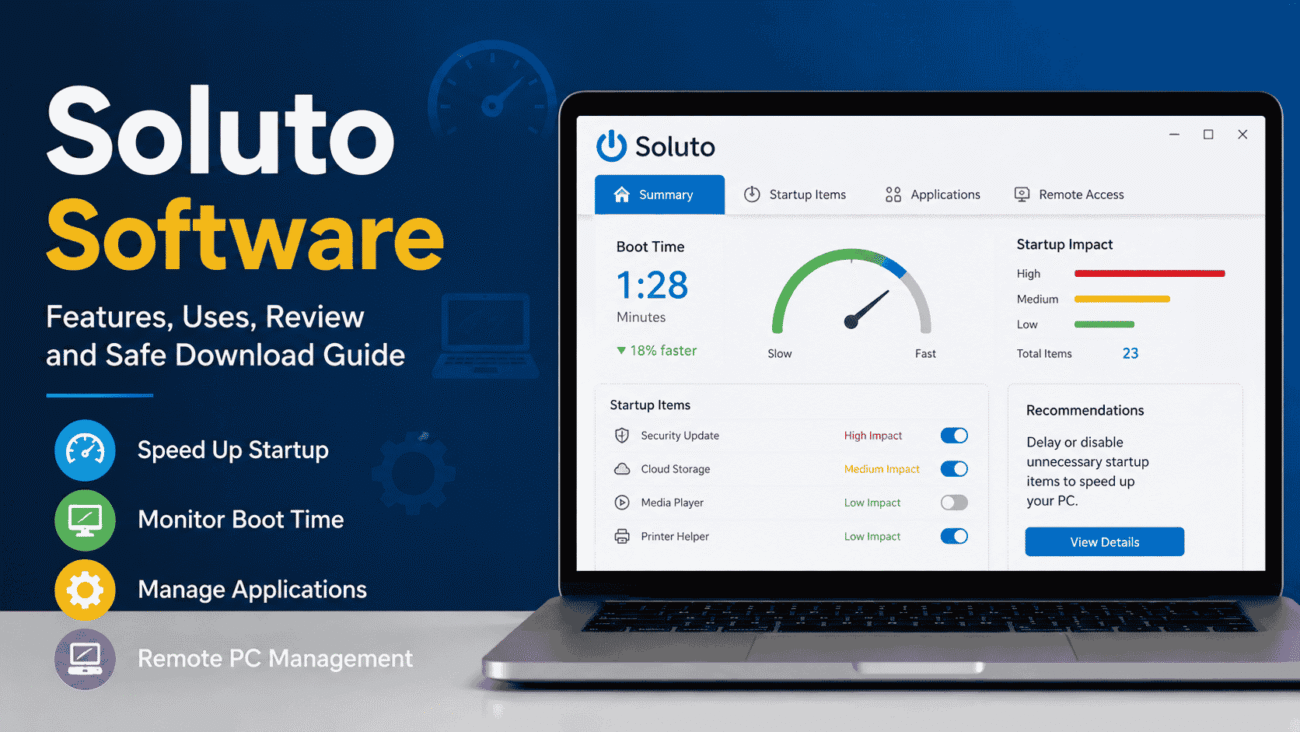
If you’ve ever searched for ways to speed up a slow Windows computer, you’ve probably come across Soluto software. A few years ago, it was frequently recommended as a tool for improving startup performance, reducing boot times, and providing remote PC management. It gained attention because it presented technical information in a way that everyday users could understand.
Today, however, many people have new questions. What is Soluto software? Is it still available? Can you find a Soluto software free download? And is it still a good choice compared to modern PC optimization tools?
The answer isn’t as straightforward as it once was. While Soluto played an important role in simplifying PC maintenance, its availability and functionality have changed over time. Understanding its original purpose—and how it compares to today’s alternatives—can help you decide whether it’s worth searching for or if a newer solution makes more sense.
This guide explores Soluto’s history, features, practical uses, strengths, limitations, and what users should know before trying to install it.
What Is Soluto Software?
Soluto was originally developed as a Windows optimization and remote management application. Its primary goal was to help users understand why their computers started slowly and provide simple recommendations for improving performance.
Unlike many optimization programs that overwhelmed users with technical details, Soluto used clear visual explanations and categorized startup applications based on how they affected boot performance.
Over time, the platform expanded beyond startup optimization and introduced cloud-based remote management features for individuals and IT professionals.
Instead of only helping users speed up their own computers, Soluto also allowed remote monitoring and troubleshooting for supported devices.
Why Soluto Became Popular
When Soluto first appeared, Windows users often struggled with long startup times.
Many applications automatically launched when the computer booted, making systems slower without users understanding why.
Soluto addressed this problem by showing:
- Which programs launched during startup
- How much time each program added to boot performance
- Which applications could safely be delayed
- Which startup items were considered essential
This simple approach made computer optimization accessible even for users with limited technical knowledge.
Key Features of Soluto Software
Although the software evolved over time, several features made it stand out from traditional PC utilities.
Startup Analysis
Startup optimization was Soluto’s signature feature.
Instead of simply listing startup programs, it explained how each application affected boot performance.
Users could choose to:
- Leave programs unchanged
- Delay startup
- Disable unnecessary applications
This gave people more control without requiring advanced computer knowledge.
Boot Time Monitoring
The software tracked how long Windows took to start.
Users could compare performance over time and identify whether newly installed software slowed down their computers.
This visual feedback made it easier to understand the impact of system changes.
Application Management
Soluto helped identify installed applications that consumed system resources during startup.
Rather than forcing users to remove software immediately, it provided recommendations so they could make informed decisions.
Remote Device Management
Later versions introduced remote management capabilities.
This allowed users or IT professionals to:
- Monitor computers remotely
- View device information
- Perform maintenance tasks
- Assist family members or clients
This feature made Soluto attractive for small businesses and managed IT environments.
How Soluto Software Worked
One reason many users appreciated Soluto was its straightforward interface.
After installation, the software analyzed the computer and generated a visual report.
Instead of displaying technical jargon, it grouped startup applications into categories such as:
- Required
- Potentially removable
- Delay recommended
This presentation helped users understand which changes were relatively safe without needing deep Windows knowledge.
For less experienced users, this reduced the fear of accidentally disabling important system processes.
Soluto Software Review: Strengths and Weaknesses
Looking back, Soluto introduced several ideas that later became common in PC optimization software.
Its strengths included simplicity, educational guidance, and user-friendly performance monitoring.
However, as Windows itself improved startup management and introduced better built-in optimization tools, the software became less essential for many users.
In addition, the availability and development of Soluto changed over time, making it less visible than it once was.
For users searching for a modern PC optimization solution, it’s important to understand both its historical value and its current status.
What Is Soluto Software Used For?
Although many people remember Soluto primarily for startup optimization, its uses extended beyond that.
Common purposes included:
- Reducing Windows startup times
- Monitoring boot performance
- Managing startup applications
- Basic computer optimization
- Remote PC support
- Device management
- Performance monitoring
For families, it offered an easy way to assist relatives with computer maintenance.
For small businesses, remote monitoring simplified support for multiple computers without requiring expensive enterprise software.
Is Soluto Software Still Available?
This is one of the most common questions users ask today.
The availability of Soluto has changed significantly since its early popularity.
Depending on when you’re searching, you may find references to older versions, archived downloads, or discussions about the software’s previous features.
If you’re looking for the latest version or official support, always verify information directly through the software developer or trusted software repositories.
Avoid downloading installation files from unknown websites, as unofficial software downloads can introduce security risks.
Soluto Software Free Download: Should You Download It?
Many people search online for a Soluto software free download, but caution is important.
Older software often appears on third-party download websites long after official development has slowed or ended.
Before downloading any version, consider these questions:
- Is the download from an official source?
- Is the software still supported?
- Will it work with your version of Windows?
- Has the installer been modified?
- Are there recent security updates?
Downloading outdated software from unverified websites can expose your computer to malware or compatibility problems.
If an official download is no longer available, it may be safer to explore actively maintained alternatives.
Comparing Soluto With Modern PC Optimization Tools
The software landscape has changed considerably since Soluto’s early years.
Today’s optimization tools often combine several functions into one platform.
| Feature | Soluto | Modern Optimization Tools |
|---|---|---|
| Startup Management | Yes | Yes |
| Boot Time Analysis | Yes | Often Included |
| Remote Support | Available in later versions | Common |
| System Health Reports | Basic | More Advanced |
| Windows Compatibility | Depends on version | Regularly Updated |
| Cloud Features | Limited | Often Expanded |
While Soluto introduced innovative concepts, many newer utilities have expanded upon them with broader feature sets and ongoing software updates.
Real-World Example
Imagine a small business with ten office computers.
Several employees report that their systems take several minutes to become usable each morning.
Using startup analysis software like Soluto, an administrator could identify unnecessary applications launching during boot, delay selected programs, and monitor whether startup performance improved over time.
Although Windows now includes many built-in startup management tools, Soluto’s original approach helped users visualize performance in a way that was easier to understand than traditional system utilities.
Pros and Cons of Soluto Software
Like many PC optimization tools, Soluto offered several practical benefits but also had limitations that became more noticeable as Windows evolved.
Pros
- Easy-to-understand interface for non-technical users.
- Visual startup analysis instead of complex system reports.
- Helped identify applications slowing down boot times.
- Included remote management capabilities in later versions.
- Simplified basic PC maintenance.
- Reduced the need to manually edit Windows startup settings.
Cons
- Development and availability have changed over the years.
- Older versions may not fully support current Windows releases.
- Official downloads may no longer be readily available.
- Built-in Windows tools now provide many similar functions.
- Downloading outdated versions from unofficial sources can create security risks.
For users with modern Windows systems, these factors are important when deciding whether to look for Soluto or choose a newer alternative.
Common Mistakes Users Make
Searching for older software often leads people to make avoidable mistakes.
Downloading From Unverified Websites
One of the biggest risks is installing software from unofficial download sites.
Older programs are sometimes repackaged with unwanted software or malware.
Whenever possible, download software only from the official developer or a trusted software repository.
Expecting Modern Compatibility
Even if an older version installs successfully, it may not function correctly on newer versions of Windows.
Compatibility issues could include:
- Installation failures
- Missing features
- Driver conflicts
- Stability problems
Always verify operating system compatibility before installing older software.
Disabling Too Many Startup Programs
Some users attempt to improve startup speed by disabling every application.
Unfortunately, certain startup services are necessary for hardware drivers, security software, or system functionality.
Before disabling anything, understand what each process does.
Ignoring Windows’ Built-In Tools
Modern versions of Windows include startup management through Task Manager and other system utilities.
For many users, these built-in tools provide enough control without installing additional optimization software.
Expert Tips Before Choosing PC Optimization Software
Whether you’re considering Soluto or another utility, these recommendations can help protect your computer and improve performance.
Use Official Sources Whenever Possible
If software is still actively maintained, download it directly from the developer.
This reduces the risk of installing modified or outdated files.
Create a Restore Point
Before making significant system changes, create a Windows restore point.
If something goes wrong, restoring the system is much easier than troubleshooting unexpected issues later.
Remove Software You No Longer Use
Many startup problems come from applications that are rarely opened.
Periodically reviewing installed programs can improve performance without installing additional utilities.
Keep Windows Updated
Performance improvements often come through Windows updates.
Installing the latest updates may solve startup or stability issues without requiring third-party optimization software.
Focus on Long-Term Maintenance
No optimization program can permanently fix a computer that is overloaded with unnecessary software or running outdated hardware.
Regular maintenance, software updates, adequate storage space, and healthy hardware contribute far more to long-term performance.
Are There Modern Alternatives?
Because technology has advanced considerably since Soluto became popular, many users now choose newer PC management tools.
Modern utilities may include features such as:
- Startup optimization
- Disk cleanup
- Driver management
- Software updates
- Security monitoring
- Hardware health reports
- Remote device management
- Performance dashboards
Rather than searching specifically for older software, consider whether a current solution better matches your needs and supports your version of Windows.
Who Might Still Find Soluto Useful?
Although its role has changed over time, some users remain interested in Soluto because they remember its straightforward design.
People who may still search for it include:
- Long-time Windows users.
- IT professionals familiar with earlier versions.
- Computer enthusiasts interested in legacy software.
- Users researching older PC optimization tools.
However, anyone considering installation should first verify software availability, compatibility, and security.
FAQs
What is Soluto software?
Soluto is a Windows optimization and remote management application originally designed to help users improve startup performance, monitor boot times, and manage computers more effectively through an easy-to-understand interface.
Is Soluto software still available?
Its availability has changed over time. If you’re looking for the latest version, always verify information through the official developer or trusted software sources before downloading.
Is there a Soluto software free download?
Older versions may still appear on various download websites, but users should be cautious. Download software only from trusted sources and confirm that it is compatible with your operating system.
Is Soluto safe to use?
The answer depends on the source of the installation file and the software version. Official downloads are generally preferable, while unofficial copies from unknown websites may present security risks.
Does Windows still need software like Soluto?
Modern versions of Windows include improved startup management and performance tools. Some users may still prefer third-party utilities for additional features, but built-in Windows tools now handle many common optimization tasks effectively.
Conclusion
When discussing Soluto software, it’s important to understand both its history and its current relevance. The software introduced an approachable way to analyze startup performance, manage applications, and assist with basic computer maintenance at a time when these tasks were often confusing for everyday users.
If you’re searching for what is Soluto software, researching a Soluto software review, or looking for a Soluto software free download, remember that availability, compatibility, and security should always come before convenience.
Rather than downloading outdated software from unknown sources, take time to evaluate whether a modern optimization tool—or even Windows’ built-in performance features—can meet your needs more safely. A thoughtful approach will help you keep your computer running efficiently while avoiding unnecessary risks.
