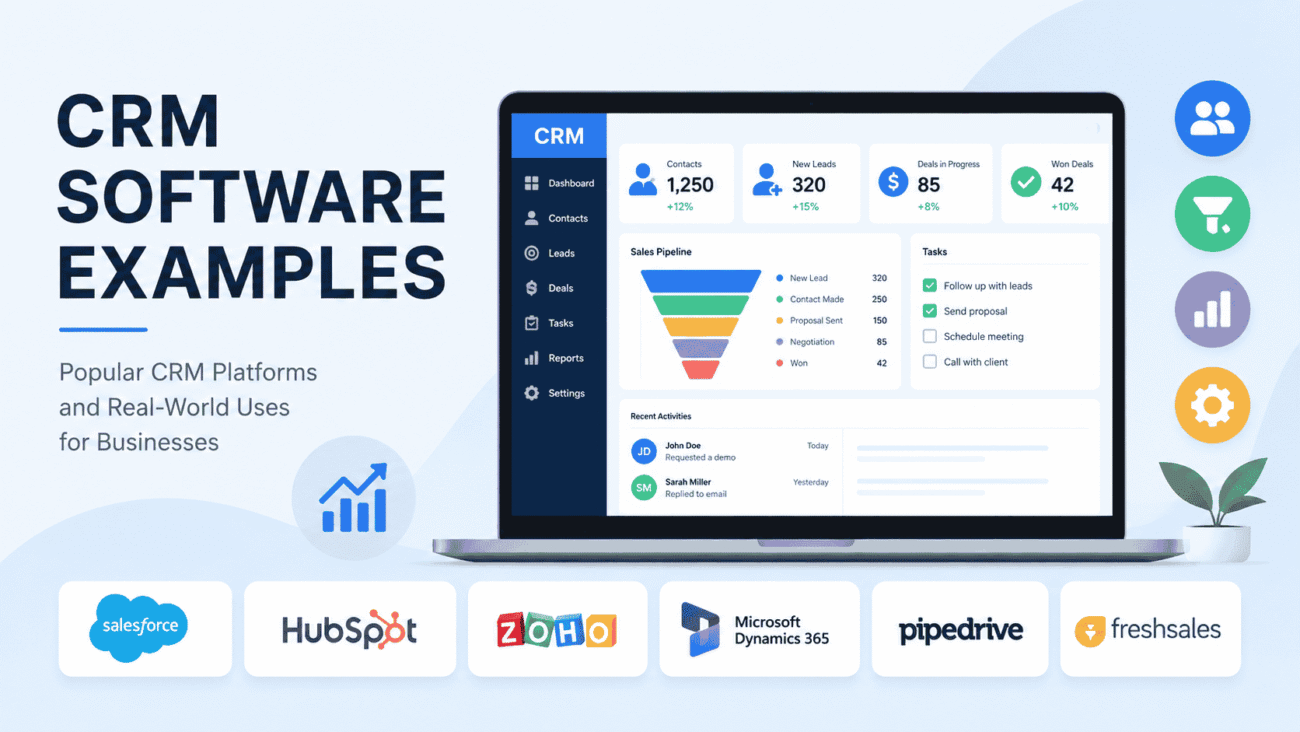
Customer relationships can make or break a business. Whether you’re running a local service company, an online store, or a growing sales team, keeping track of leads, conversations, and customer history quickly becomes difficult without the right tools. That’s where CRM software comes in. If you’re searching for CRM software examples, you’re likely trying to understand what these platforms do and which ones businesses actually use. The short answer is that CRM (Customer Relationship Management) software helps companies organize customer information, manage sales pipelines, improve communication, and build stronger relationships.
From small startups to global enterprises, businesses rely on CRM systems every day to streamline operations and improve customer experiences. In this guide, you’ll learn what is CRM software examples, explore CRM software examples in real life, compare popular CRM software examples, and discover how to choose the right platform for your needs.
What Is CRM Software?
CRM stands for Customer Relationship Management.
A CRM system is software that stores customer information in one place and helps businesses manage interactions throughout the customer journey. Instead of relying on spreadsheets, sticky notes, or scattered emails, employees can access a complete customer history from a single dashboard.
Most CRM platforms allow businesses to:
- Store customer contact information
- Track leads and sales opportunities
- Record emails and phone calls
- Schedule follow-up reminders
- Monitor sales performance
- Generate reports
- Automate repetitive tasks
The goal isn’t simply organizing data. A good CRM helps teams respond faster, close more sales, and provide better customer service.
Why Businesses Use CRM Software
Imagine a home remodeling company receiving dozens of inquiries every week.
Without a CRM, sales representatives might forget to follow up with potential customers or lose important project details in long email chains.
With a CRM, every conversation is recorded automatically. Team members can see previous interactions, schedule follow-ups, and monitor where each customer stands in the sales process.
The same concept applies to industries such as healthcare, real estate, manufacturing, finance, retail, education, and professional services.
CRM software creates consistency while reducing manual work.
CRM Software Examples in Real Life
The easiest way to understand CRM systems is to see how businesses use them in everyday situations.
A Real Estate Agency
A real estate agent receives inquiries from multiple listing websites.
Instead of manually tracking every prospect, the CRM automatically creates a new lead, records contact information, schedules follow-up reminders, and tracks conversations.
When a buyer calls weeks later, the agent immediately sees previous emails, preferred property types, and scheduled appointments.
A Small Marketing Agency
A digital marketing agency manages dozens of clients at the same time.
Using CRM software, account managers can:
- Track proposals
- Schedule meetings
- Store contracts
- Monitor project status
- Record communication history
Everyone on the team has access to the same customer information, reducing confusion and improving collaboration.
A Medical Clinic
Healthcare providers often use CRM systems to improve patient communication.
The software may help manage appointment reminders, patient inquiries, follow-up communication, and satisfaction surveys while supporting administrative workflows.
An Online Retail Store
An eCommerce business collects customer information from website purchases.
CRM software helps organize buyer history, send personalized promotions, recover abandoned carts, and improve customer retention through targeted communication.
These are just a few CRM software examples in real life, but nearly every industry can benefit from managing customer relationships more effectively.
Popular CRM Software Examples
The CRM market offers solutions for businesses of every size.
Below are some of the most widely recognized platforms.
Salesforce
Salesforce is one of the best-known CRM platforms worldwide.
It provides advanced features for:
- Sales management
- Customer service
- Marketing automation
- Analytics
- Workflow automation
- AI-powered insights
Because of its extensive capabilities, Salesforce is often used by medium-sized businesses and large enterprises.
HubSpot CRM
HubSpot CRM is popular among startups and small businesses because it offers an easy-to-use interface and a free entry-level plan.
Common features include:
- Contact management
- Deal tracking
- Email integration
- Marketing tools
- Meeting scheduling
- Reporting dashboards
Many growing companies begin with HubSpot before expanding into additional tools.
Zoho CRM
Zoho CRM is known for balancing affordability with a broad range of features.
Businesses use it for:
- Lead management
- Sales automation
- Workflow customization
- Customer communication
- Analytics
- Mobile access
Its flexibility makes it attractive to companies with limited budgets.
Microsoft Dynamics 365
Organizations already using Microsoft products often choose Dynamics 365 because it integrates well with Outlook, Teams, Excel, and other Microsoft applications.
It’s commonly adopted by larger businesses that need advanced customization and enterprise-level reporting.
Pipedrive
Pipedrive focuses heavily on sales pipeline management.
Its visual interface helps sales representatives track opportunities through every stage of the sales process.
Small sales teams often appreciate its simplicity and ease of use.
Freshsales
Freshsales combines CRM functionality with communication tools and automation.
Companies use it to:
- Capture leads
- Track customer interactions
- Automate workflows
- Monitor sales activities
- Improve team productivity
It’s especially useful for businesses seeking an all-in-one sales solution.
Comparing Popular CRM Software Examples
Each CRM platform serves different business needs.
| CRM Software | Best For | Key Strength |
|---|---|---|
| Salesforce | Large organizations | Advanced customization and scalability |
| HubSpot CRM | Small businesses | User-friendly interface and free plan |
| Zoho CRM | Growing businesses | Affordable feature set |
| Microsoft Dynamics 365 | Enterprise companies | Microsoft ecosystem integration |
| Pipedrive | Sales-focused teams | Visual sales pipeline management |
| Freshsales | Small and medium businesses | Sales automation and communication tools |
There isn’t one “best” CRM for every organization.
The right choice depends on your business size, budget, industry, and long-term goals.
What Features Should You Look For?
Many CRM systems include similar core functions, but some stand out because of their flexibility and automation.
When comparing options, pay attention to these essential features.
Contact Management
Every CRM should make it easy to organize customer information.
This includes names, email addresses, phone numbers, purchase history, meeting notes, and communication records.
Having everything in one place saves time and reduces the chance of losing important details.
Sales Pipeline Tracking
A visual sales pipeline helps teams understand where each prospect is in the buying journey.
Sales managers can quickly identify opportunities that need attention and forecast future revenue more accurately.
Task and Follow-Up Reminders
Following up at the right time can make the difference between winning and losing a customer.
Most CRM platforms allow users to schedule reminders for calls, emails, meetings, and other important activities.
Automation
Automation reduces repetitive work by handling routine tasks automatically.
Examples include:
- Sending welcome emails
- Assigning leads to sales representatives
- Updating customer records
- Creating follow-up tasks
- Triggering notifications
This allows employees to spend more time building relationships instead of completing manual administrative work.
What Is CRM Software Examples? Understanding the Concept
People often ask, “What is CRM software examples?“ because they want both a definition and real-world products.
The simplest explanation is that CRM software is a digital system designed to help businesses manage customer relationships. Examples include platforms like Salesforce, HubSpot CRM, Zoho CRM, Microsoft Dynamics 365, Pipedrive, and Freshsales.
Although each platform has unique strengths, they all share the same purpose: helping businesses organize customer data, improve communication, and manage sales more efficiently.
A local insurance agency, for instance, may use a CRM to remember policy renewal dates and client conversations, while a software company may rely on it to track leads from online marketing campaigns. Different industries use CRM systems differently, but the goal remains the same—building stronger customer relationships through better organization.
Benefits of Using CRM Software
A CRM system is more than a digital address book. When used consistently, it becomes a central hub for sales, marketing, and customer service.
Here are some of the biggest advantages businesses experience.
Better Customer Relationships
Customers appreciate businesses that remember previous conversations, preferences, and past purchases.
With a CRM, employees can quickly access customer history before making a call or replying to an email. This creates more personalized interactions and helps build long-term trust.
Improved Team Collaboration
Without a CRM, important information often stays in one employee’s inbox or notebook.
A shared system allows everyone to access the same customer records, making it easier for sales, marketing, and support teams to work together.
Increased Sales Opportunities
Sales representatives can see where each lead is in the buying process and know exactly when to follow up.
Instead of relying on memory, the CRM provides reminders and keeps opportunities from slipping through the cracks.
Faster Customer Support
Support teams can immediately view previous purchases, service requests, and communication history.
This reduces response times and helps solve customer issues more efficiently.
Better Reporting
Most CRM platforms include dashboards that provide insights into sales performance, lead sources, customer activity, and team productivity.
These reports help business owners make informed decisions rather than relying on guesswork.
Pros and Cons of CRM Software
Like any business tool, CRM software has both strengths and limitations.
Pros
- Centralizes customer information.
- Improves communication across teams.
- Helps manage leads more effectively.
- Automates repetitive administrative tasks.
- Supports better sales forecasting.
- Enhances customer service.
- Scales as businesses grow.
Cons
- Initial setup may take time.
- Employees need training to use the system effectively.
- Advanced features often require higher-priced plans.
- Poor data entry habits can reduce the value of the CRM.
- Integrating with existing software may require additional planning.
For most businesses, the long-term benefits outweigh the learning curve, especially when the CRM is implemented with clear goals and proper training.
Common Mistakes Businesses Make When Using a CRM
Buying CRM software doesn’t automatically improve customer relationships. Success depends on how the platform is used.
Treating the CRM Like a Contact List
Some businesses only store names and phone numbers in their CRM.
To get real value, teams should also record meeting notes, emails, follow-up dates, customer preferences, and sales progress.
The more complete the information, the more useful the CRM becomes.
Skipping Employee Training
Even the best software can fail if employees don’t understand how to use it.
Provide onboarding sessions, create simple guides, and encourage team members to ask questions during the early stages of implementation.
Entering Incomplete Data
Missing information leads to missed opportunities.
Establish clear standards for entering customer details so everyone follows the same process.
Choosing Software Based Only on Price
Free or low-cost CRM systems can be attractive, but they may not include the features your business needs as it grows.
Instead of focusing only on today’s budget, consider whether the platform can support your business over the next several years.
Ignoring Integrations
A CRM works best when it connects with tools you already use, such as email platforms, accounting software, calendars, and marketing applications.
Checking integration options before purchasing can save significant time later.
Expert Tips for Choosing the Right CRM
Selecting a CRM doesn’t have to be complicated. A few practical steps can help you make a better decision.
Define Your Business Goals
Before comparing software, identify what you want to improve.
For example:
- Increase sales
- Improve customer service
- Organize leads
- Automate follow-ups
- Generate better reports
Knowing your priorities makes it easier to narrow your options.
Involve Your Team
The people who use the CRM every day should have input during the selection process.
Sales representatives, customer service agents, and managers often have different requirements.
Their feedback can help you avoid choosing software that looks impressive but doesn’t fit your workflow.
Start With Core Features
Many CRM platforms offer dozens of advanced capabilities.
Begin with the features you’ll actually use. You can always expand later as your business grows.
Test Before Committing
Most CRM providers offer free trials or product demonstrations.
Take advantage of these opportunities to evaluate the interface, reporting tools, mobile experience, and overall ease of use before making a long-term commitment.
Which Businesses Benefit Most From CRM Software?
CRM systems aren’t limited to large corporations.
Businesses of all sizes can improve customer management by using the right platform.
Common industries include:
- Real estate agencies
- Insurance companies
- Healthcare providers
- Law firms
- Marketing agencies
- Construction companies
- Retail businesses
- Financial services
- Educational institutions
- Manufacturing companies
- Nonprofit organizations
- Home service businesses
Whether a company serves hundreds of customers or hundreds of thousands, organizing customer information is essential for long-term growth.
Frequently Asked Questions
What is CRM software examples?
CRM software helps businesses manage customer relationships by organizing contact information, tracking sales opportunities, recording interactions, and automating routine tasks. Examples include Salesforce, HubSpot CRM, Zoho CRM, Microsoft Dynamics 365, Pipedrive, and Freshsales.
What are some popular CRM software examples?
Some of the most widely used CRM platforms include Salesforce, HubSpot CRM, Zoho CRM, Microsoft Dynamics 365, Pipedrive, and Freshsales. Each platform serves different business sizes and requirements.
What are CRM software examples in real life?
A real estate agency uses CRM software to track property buyers, while a medical clinic manages patient communication. Marketing agencies organize client projects, and online retailers monitor customer purchases and follow-up campaigns.
Is CRM software only for large businesses?
No. Many CRM solutions are designed specifically for small businesses and startups. Some even offer free plans or affordable pricing that allows smaller organizations to manage customer relationships without a large investment.
How do I choose the best CRM software?
Start by identifying your business goals, budget, and required features. Compare ease of use, integrations, reporting capabilities, customer support, and scalability before making a decision. Testing a free trial can also help you determine whether the platform fits your workflow.
Conclusion
Finding the right CRM isn’t about choosing the most expensive platform or the one with the longest feature list. It’s about selecting software that supports the way your business builds and maintains customer relationships.
The CRM software examples covered in this guide demonstrate that different businesses have different needs. A startup may value simplicity and affordability, while a growing company may prioritize automation, reporting, and integrations. Understanding what is CRM software examples, exploring CRM software examples in real life, and comparing popular CRM software examples gives you a solid foundation for making an informed choice.
As your business grows, the right CRM can become much more than a sales tool. It can improve communication, strengthen customer loyalty, increase efficiency, and help your team make better decisions every day.
