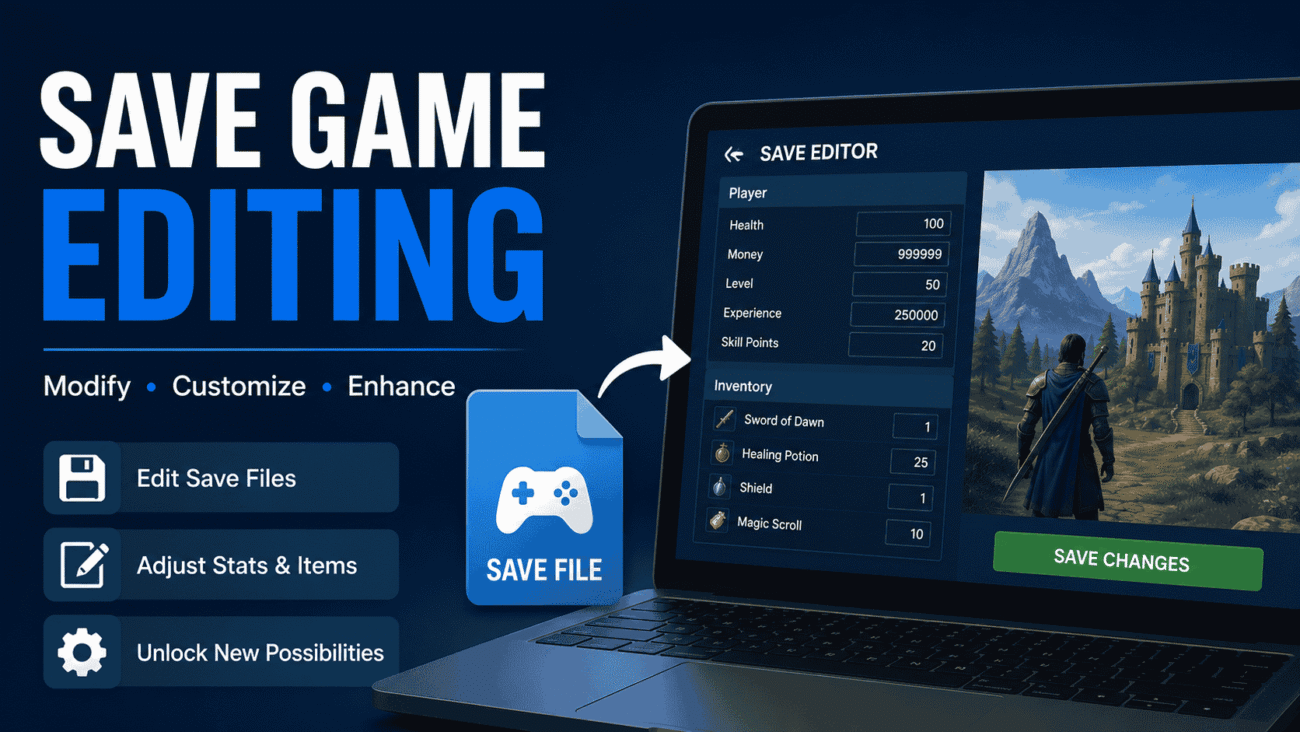
Have you ever wished you could undo a bad decision in a game without starting over? Maybe you accidentally sold an important item, lost a favorite character, or simply wanted to experiment with different outcomes. That’s exactly where save game editing becomes useful.
Save game editing allows players to modify information stored in a game’s save file. Depending on the game, you can adjust resources, unlock features, repair mistakes, or customize your progress. While it offers a great deal of flexibility, it also comes with risks if done incorrectly.
This guide explains how save game editing works, when it’s worth using, and how to avoid common problems. We’ll also look at popular examples like rimworld save game editing, stellaris save game editing, and ksp save game editing, along with practical advice that works for beginners and experienced players alike.
What Is Save Game Editing?
Save game editing is the process of changing information inside a game’s saved progress file.
Instead of replaying hours of gameplay, players can directly modify values such as inventory items, money, character stats, mission progress, or world settings. Some games support this through official tools, while others require community-made editors or manual file editing.
At its core, a save file is simply data. The game reads that data every time you load your progress. Editing the file changes what the game sees when it starts.
For example, instead of earning another 5,000 coins through gameplay, you could edit the save file so your character already has them.
Why Players Edit Save Files
Every player has different reasons for editing saves. It’s not always about making a game easier.
Some players use editing tools to fix accidental mistakes, while others enjoy experimenting with different scenarios without replaying dozens of hours.
Common reasons include:
- Recovering lost progress
- Fixing broken quests
- Testing game mechanics
- Correcting accidental choices
- Adjusting inventory
- Restoring deleted items
- Creating custom scenarios
- Troubleshooting save corruption
For single-player games, save editing often becomes another way to personalize the experience.
How Save Game Editing Works
Most save files contain structured information that records everything happening in your game.
Depending on the developer, save files may be:
- Plain text
- XML files
- JSON files
- Binary files
- Compressed archives
- Encrypted files
Text-based save files are generally easier to edit because they can often be opened with a standard text editor.
Encrypted or binary saves usually require dedicated save editors created by the game’s community.
Regardless of the format, the principle remains the same: modify the stored values, save the file, and reload the game.
Before Editing Any Save File
Editing without preparation is the fastest way to lose valuable progress.
Always take a few precautions before making changes.
Create a Backup
Never edit your only save.
Copy the original save file to another folder before making changes. If something goes wrong, you can restore the backup within seconds instead of losing dozens of gameplay hours.
Experienced players treat backups as mandatory rather than optional.
Close the Game Completely
Many games automatically overwrite save files when exiting.
If the game remains open while you’re editing, your changes may disappear or become corrupted.
Always close the game before opening the save file.
Learn the File Structure
Changing random values rarely ends well.
Spend a few minutes understanding what each section controls before editing anything important.
Community documentation can often explain unknown variables.
Common Methods of Save Game Editing
Different games require different approaches.
Manual Text Editing
Some games save information using readable formats like XML or JSON.
These files can often be edited with text editors.
This method gives maximum control but requires attention to detail.
Even a missing bracket or quotation mark can prevent the save from loading.
Dedicated Save Editors
Many communities create software designed specifically for one game.
These tools provide a graphical interface where players can safely change values without manually editing code.
For beginners, dedicated editors are usually the easiest option.
Modding Utilities
Some games include broader modding tools that also support save editing.
These utilities often allow players to modify characters, inventories, maps, or progression while maintaining compatibility with other mods.
Advantages of Save Game Editing
Used responsibly, save editing can improve the overall gaming experience.
Correct Honest Mistakes
Everyone makes accidental decisions.
Perhaps you deleted a rare weapon or selected the wrong dialogue option.
Instead of replaying several hours, editing the save may solve the problem in minutes.
Experiment Without Starting Over
Some games contain multiple endings or countless strategic possibilities.
Editing saves lets players test different outcomes without repeating the same early-game content.
This is especially useful in long strategy or simulation games.
Recover From Bugs
Occasionally, games experience glitches that block progression.
While official patches often fix these issues later, save editing can sometimes provide a temporary solution that allows players to continue.
Risks You Should Understand
Although useful, save game editing is never completely risk-free.
Save File Corruption
One incorrect value can prevent a save from loading.
This is why backups should always come first.
Compatibility Problems
After major game updates, older save editors may no longer work correctly.
Using outdated tools can introduce unexpected issues.
Always verify that an editor supports your current game version.
Achievement Restrictions
Some games disable achievements after detecting modified saves.
If earning achievements matters to you, research how your game handles edited files before making changes.
Multiplayer Concerns
Save editing should generally remain limited to single-player experiences.
Many online games prohibit modifying saved data, and doing so could violate the game’s terms of service.
Always review the game’s rules before editing files connected to online play.
Comparing Different Save Editing Methods
| Method | Difficulty | Best For | Risk Level |
|---|---|---|---|
| Manual Text Editing | Medium | Experienced users | Medium |
| Save Editor Software | Easy | Most players | Low |
| Modding Utilities | Medium | Advanced customization | Medium |
| Hex Editing | Advanced | Technical users | High |
For most players, dedicated save editors offer the best balance between simplicity and safety.
Popular Games That Support Save Editing
Several well-known games have active communities that develop save editing tools and documentation.
RimWorld Save Game Editing
RimWorld save game editing is popular because many save files use XML, making them relatively accessible.
Players often edit:
- Colonist skills
- Resources
- Relationships
- Health conditions
- World settings
Since the files are readable, many adjustments can be made without specialized software. However, it’s still important to create backups before changing colony data, as interconnected systems can be affected by seemingly small edits.
Stellaris Save Game Editing
Strategy fans often explore stellaris save game editing to modify large empires or test alternate campaign outcomes.
Common edits include:
- Resources
- Empire traits
- Technologies
- Diplomatic relationships
- Galaxy settings
Because Stellaris campaigns can last dozens of hours, save editing provides a practical way to experiment without restarting from the beginning.
KSP Save Game Editing
KSP save game editing is widely used by players who enjoy experimenting with spacecraft designs or recovering missions that didn’t go as planned.
In Kerbal Space Program (KSP), save files are relatively well organized, making it possible to adjust many aspects of a mission with careful editing.
Players commonly modify:
- Spacecraft locations
- Crew assignments
- Mission progress
- Research progression
- Funds and science points
- Contract status
For example, if a mission fails because of a physics glitch or an accidental staging mistake, editing the save may allow you to recover the spacecraft instead of rebuilding everything from scratch.
As always, editing should be done carefully, since changing one value without understanding related settings can create unexpected problems.
Choosing the Right Save Editing Tool
Not every game requires the same approach. The best tool depends on how the game stores its save files and what you want to change.
| Tool Type | Best For | Advantages | Limitations |
|---|---|---|---|
| Text Editor | XML or JSON saves | Free and flexible | Easy to make mistakes |
| Dedicated Save Editor | Game-specific editing | Beginner-friendly | Limited to supported games |
| Mod Manager | Games with active modding communities | Combines mods and save tools | Learning curve |
| Hex Editor | Advanced users | Complete control | High risk of corruption |
If you’re new to save editing, start with a dedicated save editor whenever one is available. These tools usually validate changes and reduce the chance of damaging your save.
Best Practices for Safe Save Editing
A few simple habits can prevent hours of frustration.
Keep Multiple Backup Copies
Don’t rely on a single backup.
Before making significant changes, create several copies of your save file and label them with dates or version numbers.
This makes it easy to return to an earlier point if something goes wrong.
Change One Thing at a Time
Making ten edits at once may seem efficient, but it becomes difficult to identify the cause if the save stops working.
Adjust one setting, load the game, and confirm everything works before moving on to the next change.
Use the Correct Game Version
Game updates sometimes change how save files are structured.
If you’re using an editor designed for an older version, it may not recognize new data correctly.
Always check whether your editing tool supports the version you’re playing.
Read Community Documentation
Popular games often have detailed community guides explaining how save files work.
These guides can help you understand variable names, dependencies, and file structures before making changes.
Learning from experienced players is often faster than relying on trial and error.
Common Mistakes to Avoid
Even experienced players occasionally make errors while editing save files.
Forgetting to Create a Backup
This is by far the most common mistake.
Without a backup, recovering a damaged save may be impossible.
A simple copy-and-paste before editing can save countless hours.
Editing While the Game Is Running
Many games automatically save when they close.
If you edit a file while the game is open, your changes may be overwritten or ignored.
Always exit the game completely before opening the save.
Changing Unknown Values
Just because you can edit a number doesn’t mean you should.
Some values are linked to multiple systems within the game. Altering one without understanding its purpose can cause crashes or strange behavior.
If you’re unsure what a value controls, research it before making changes.
Ignoring File Formatting
Text-based save files rely on proper formatting.
Deleting a bracket, quotation mark, or line break can make the file unreadable.
Work carefully and double-check your edits before saving.
Pros and Cons of Save Game Editing
| Pros | Cons |
|---|---|
| Fixes accidental mistakes | Incorrect edits can corrupt saves |
| Saves time by avoiding repetitive gameplay | Some games disable achievements |
| Allows creative experimentation | Not every game supports editing |
| Helps recover from bugs or glitches | Requires careful backups |
| Supports custom gameplay experiences | Multiplayer games may prohibit it |
For many single-player games, the benefits outweigh the risks when edits are made thoughtfully and backed up properly.
Expert Tips From Experienced Players
Small habits often make the biggest difference when editing saves.
Organize Your Save Files
- Original saves
- Edited saves
- Test versions
- Completed campaigns
Good organization makes it much easier to compare changes or restore older progress.
Keep Notes on Your Changes
If you’re experimenting with several values, write down exactly what you changed.
This simple habit makes troubleshooting much easier if something doesn’t work as expected.
Test After Every Edit
Don’t spend an hour making dozens of changes before launching the game.
Load the save after each significant edit to verify that everything still functions correctly.
Finding problems early saves time later.
Avoid Editing During Major Updates
Large game updates often change save file structures.
Waiting until editing tools are updated reduces the risk of compatibility issues.
Is Save Game Editing Considered Cheating?
This question doesn’t have a universal answer.
In single-player games, many players view save editing as a personal choice. Some use it to fix bugs or recover from accidents, while others enjoy experimenting with different strategies or creating custom scenarios.
In competitive or multiplayer games, however, editing saved data may violate the game’s rules or terms of service. Because online games affect other players, modifying saves in those environments is generally discouraged and can lead to penalties.
A good rule is to use save editing only where it is appropriate and supported, and always respect the guidelines provided by the game’s developer.
When Save Editing Makes Sense
There are situations where editing a save can improve the experience without changing the spirit of the game.
Examples include:
- Recovering progress after a game bug
- Restoring an accidentally deleted item
- Testing different story outcomes
- Correcting a mistaken resource value
- Building custom scenarios for learning or content creation
On the other hand, if editing removes every challenge from the game, it may reduce the sense of accomplishment that comes from playing naturally.
The best approach is to use save editing as a tool rather than a shortcut.
FAQs
Is save game editing legal?
In most cases, yes. Editing save files for your own single-player games is generally allowed because you’re modifying data stored on your own device. However, every game has its own terms of service. Before using any save editor, review the developer’s policies, especially if the game includes online or multiplayer features.
Can save game editing damage my game?
Editing a save file won’t usually harm the game itself, but it can make a specific save unusable if changes are made incorrectly. That’s why creating a backup before every edit is considered a best practice. If something goes wrong, you can simply restore the original file.
Do I need programming knowledge to edit save files?
Not always. Many games have dedicated save editors with simple interfaces that don’t require any coding experience. Manual editing of XML or JSON files is also beginner-friendly if you follow reliable guides and make careful changes.
Will editing a save file disable achievements?
It depends on the game. Some games continue to award achievements after save edits, while others may disable them or flag the save as modified. Since developers handle this differently, it’s worth checking the latest community discussions or official documentation before editing.
What is the safest way to start save game editing?
Start with a trusted save editor designed for your specific game. Create multiple backups, make one change at a time, and test the save after each edit. This approach minimizes the risk of corruption and makes troubleshooting much easier if an issue appears.
Conclusion
Save game editing gives players more control over their gaming experience, whether the goal is recovering from an unexpected mistake, fixing a bug, or experimenting with new strategies. When used responsibly, it can save hours of replaying content while opening the door to creative possibilities that the original game may not offer.
Popular communities built around rimworld save game editing, stellaris save game editing, and ksp save game editing demonstrate how valuable this practice can be. With well-documented tools and active player support, these games make it easier to learn the basics while reducing the chance of costly mistakes.
The key to successful save editing is preparation. Always create backups, use tools that match your game’s current version, and make gradual changes instead of editing everything at once. Taking a careful approach protects your progress and helps you understand exactly how each modification affects the game.
Remember that game updates, file formats, and editing tools can change over time. Before making major edits, verify the latest information through official documentation or trusted community resources to ensure compatibility with the current version of your game.
