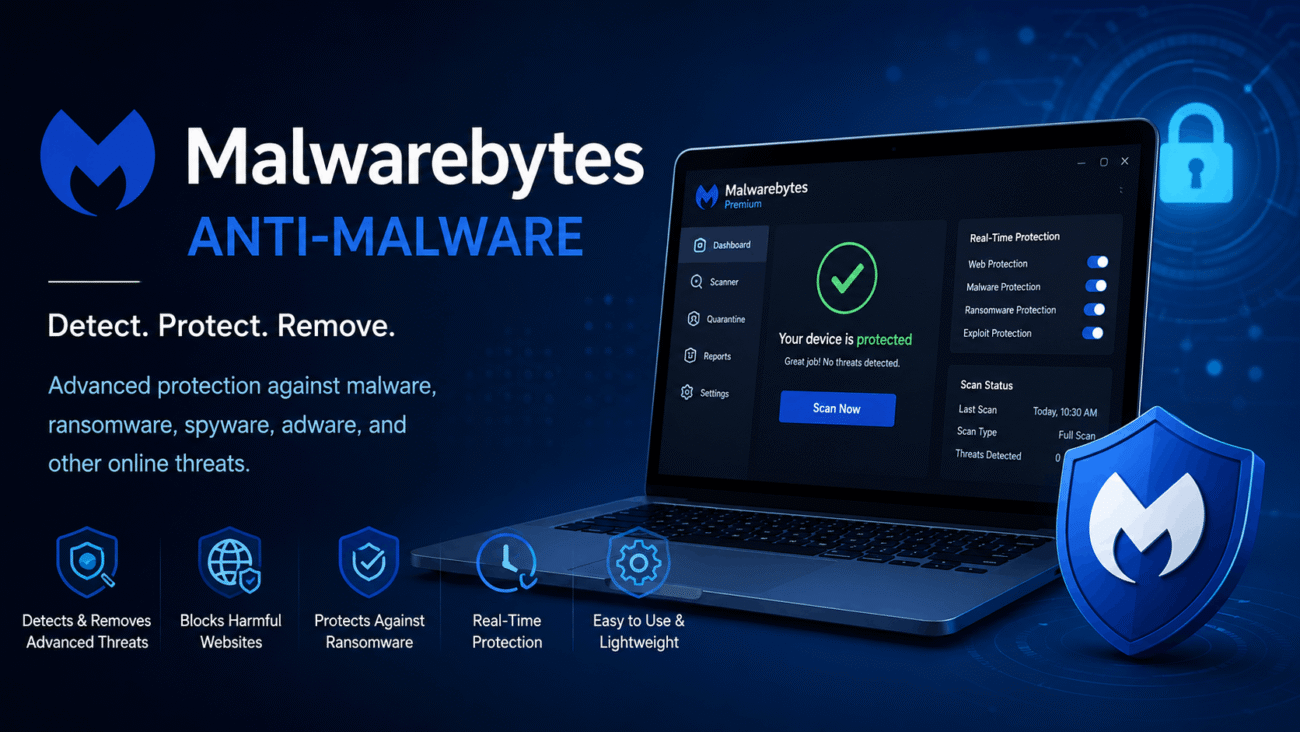
If you’ve ever dealt with endless pop-up ads, a suspiciously slow computer, or software that seemed to install itself without permission, you already know how frustrating malware can be. It doesn’t always announce its presence with dramatic warning messages. Sometimes it quietly runs in the background, affecting performance or collecting information without your knowledge MBAM software.
That’s where MBAM software, better known as Malwarebytes Anti-Malware, comes in. Over the years, it has become one of the most trusted tools for detecting and removing threats that traditional antivirus programs may overlook. Whether you’re protecting a personal laptop, a family computer, or a work device, it’s worth understanding what MBAM offers and where it fits into your overall security strategy.
Rather than relying on a single method of detection, MBAM combines multiple technologies to identify harmful software, block suspicious activity, and help keep your system running safely. In this guide, you’ll learn how it works, its most useful features, when it’s worth using, and a few practical habits that can make any security software more effective.
What Is MBAM Software?
MBAM software stands for Malwarebytes Anti-Malware, a cybersecurity application designed to detect, block, and remove a wide variety of digital threats from supported devices.
Unlike many traditional antivirus programs that focus primarily on viruses, MBAM takes a broader approach. It looks for different types of malicious software that can damage your system, compromise your privacy, or interfere with everyday computer use.
These threats include:
- Malware
- Ransomware
- Spyware
- Adware
- Potentially Unwanted Programs (PUPs)
- Trojans
- Rootkits
To identify these threats, the software doesn’t rely on a single scanning method. Instead, it combines malware databases, behavior analysis, and heuristic detection to spot both known and emerging threats.
Many users choose MBAM as their primary security solution, while others install it alongside an existing antivirus program to create an extra layer of protection. That flexibility is one of the reasons it has remained popular for so many years.
Why Do People Use MBAM Software?
No security application can promise complete protection against every online threat. However, MBAM software has earned a strong reputation because it often detects unwanted programs that other security tools fail to identify.
People install it for several reasons, including:
- Removing existing malware infections
- Blocking ransomware attacks
- Detecting spyware and adware
- Eliminating unwanted software bundles
- Performing manual or scheduled security scans
- Strengthening overall system security
It’s especially useful when your computer starts behaving differently than usual. Unexpected browser redirects, frequent pop-up advertisements, unexplained slowdowns, or unfamiliar applications can all be warning signs that something isn’t right.
Running a malware scan early can often prevent a minor issue from turning into a much larger problem.
How MBAM Software Works
One reason MBAM software is so effective is that it doesn’t depend on a single detection method. Instead, it uses several technologies that work together to identify suspicious activity before it causes serious damage.
Signature-Based Detection
Every known piece of malware leaves behind unique characteristics, often referred to as signatures.
MBAM regularly updates its malware database and compares files on your computer against these known signatures. If a file matches an identified threat, it can be quarantined or removed before it spreads further.
Although this method is highly effective against established malware, it’s only one part of the software’s overall defense strategy.
Behavior Monitoring
Cybercriminals constantly develop new threats that haven’t yet been added to malware databases.
To address this challenge, MBAM watches how programs behave instead of relying solely on file signatures.
For example, if an application suddenly begins encrypting personal documents, modifying critical system settings, or attempting unauthorized changes, the software may recognize this behavior as suspicious and intervene before significant damage occurs.
This proactive approach helps protect users from newer attacks that haven’t yet been cataloged.
Heuristic Analysis
Not every malicious program has an existing signature.
Heuristic analysis examines how software is built and how it behaves, looking for characteristics commonly associated with malware.
This allows MBAM to detect previously unseen threats that resemble known malicious programs, giving users an additional layer of protection against evolving cyber risks.
Real-Time Protection
One of the biggest differences between the free and Premium versions of MBAM software is real-time protection.
Instead of waiting for you to start a manual scan, the Premium version continuously monitors your system while you browse the web, download files, or install new applications.
If suspicious activity is detected, MBAM can block the threat before it has the opportunity to execute, reducing the chances of infection.
For users who spend a lot of time online or frequently download software, this feature can provide valuable peace of mind.
Key Features of MBAM Software
Understanding the software’s core features makes it easier to decide whether it’s the right solution for your needs.
Malware Removal
Malware removal remains one of MBAM’s strongest capabilities.
Whether your computer is infected with spyware, adware, or another type of malicious program, the software can perform quick, custom, or full system scans to locate and isolate suspicious files.
For many users, this is the feature that first introduced them to Malwarebytes.
Ransomware Protection
Ransomware attacks have become increasingly common because they target personal files and demand payment for their release.
MBAM software monitors suspicious encryption activity and attempts to stop these attacks before your files become inaccessible.
While no software can guarantee protection against every ransomware variant, proactive monitoring significantly reduces the risk.
Web Protection
Many malware infections begin long before a file is downloaded.
Visiting a compromised website or clicking a malicious link can expose your computer to unnecessary risk.
MBAM’s web protection feature helps block access to known harmful websites, reducing the likelihood of malware downloads and phishing attacks before they even begin.
Scheduled Scanning
Remembering to scan your computer regularly isn’t always easy.
That’s why scheduled scanning is such a useful feature.
You can choose a convenient time for automatic scans, allowing the software to check your system consistently without requiring manual effort.
Routine scanning helps identify hidden threats before they develop into larger security issues.
Quarantine
Not every suspicious file should be deleted immediately.
MBAM places many detected items into quarantine instead of permanently removing them.
This gives users the opportunity to review the findings and restore files if they were incorrectly identified as threats, adding an extra level of safety during the cleanup process.
Supported Operating Systems
One reason MBAM software appeals to such a wide audience is its compatibility with multiple platforms. Whether you’re securing a personal laptop, a desktop computer, or a mobile device, Malwarebytes offers solutions for several operating systems.
| Platform | Support Status |
|---|---|
| Windows | Fully Supported |
| macOS | Fully Supported |
| Android | Fully Supported |
| iOS | Limited Features |
Before installing MBAM software, it’s always a good idea to check the latest system requirements on the official Malwarebytes website. Operating systems receive regular updates, and software compatibility can change over time.
Free vs. Premium Versions
One of the first decisions you’ll need to make is whether the free version meets your needs or if upgrading to Premium is worthwhile.
The free edition is designed primarily as an on-demand malware removal tool. It’s an excellent option if you simply want to scan your computer whenever you suspect something is wrong.
The Premium version, however, takes a more proactive approach. Instead of waiting until your computer is infected, it works continuously in the background to prevent many threats before they can cause damage.
| Feature | Free | Premium |
| Manual Malware Scans | Yes | Yes |
| Malware Removal | Yes | Yes |
| Real-Time Protection | No | Yes |
| Scheduled Scans | No | Yes |
| Web Protection | No | Yes |
| Ransomware Protection | No | Yes |
For casual users who already have another antivirus program installed, the free version may be enough for occasional system checks. If you spend a lot of time online, download files regularly, or simply want continuous protection, the Premium plan offers considerably more peace of mind.
A Practical Example
Imagine you’re looking for a free PDF converter online. After downloading and installing the program, everything seems to work as expected. A day later, however, your browser starts opening unfamiliar search engines, advertisements appear on websites that never displayed them before, and your homepage has changed without your permission.
These are common signs of adware or a potentially unwanted program.
Running a scan with MBAM software can help identify these unwanted applications and remove them before they become an even bigger nuisance. Situations like this explain why many users keep Malwarebytes installed even when another antivirus program is already protecting their system.
Advantages of MBAM Software
MBAM software has built its reputation by focusing on modern threats that many users encounter every day. While no security application is perfect, Malwarebytes offers several advantages that make it a popular choice.
Some of its biggest strengths include:
- Clean and beginner-friendly interface
- Fast and efficient malware scanning
- Strong protection against ransomware
- Frequent database and security updates
- Excellent detection of adware and potentially unwanted programs
- Compatibility with many existing antivirus solutions
- Support for Windows, macOS, and Android devices
Whether you’re new to cybersecurity or have years of experience managing computers, these features make the software approachable without sacrificing effectiveness.
Common Mistakes Users Make
Installing security software is only the beginning. The habits you develop afterward have just as much impact on your overall protection.
Ignoring Updates
Cyber threats evolve constantly, and yesterday’s malware definitions won’t protect you forever.
Allowing MBAM software to update automatically ensures it has the latest threat intelligence available.
Forgetting Routine Scans
Even if your computer seems to be running perfectly, hidden threats can sometimes go unnoticed.
Scheduling regular scans gives you another opportunity to catch suspicious files before they create larger problems.
Downloading Software from Unknown Sources
One of the easiest ways malware spreads is through unofficial download websites.
Whenever possible, download software directly from the developer’s official website. A few extra seconds spent verifying the source can save hours of troubleshooting later.
Running Multiple Real-Time Security Programs
Many people assume that installing several antivirus programs provides extra protection.
In reality, running multiple applications with real-time scanning enabled can lead to software conflicts, slower performance, and false alerts.
If you plan to combine MBAM software with another security product, review the recommendations provided by both vendors to ensure they work well together.
When Should You Use MBAM Software?
There isn’t a single “right” time to run a malware scan. Instead, think of MBAM software as a tool you can rely on whenever something feels unusual.
For example, consider running a scan if:
- Your browser opens unfamiliar websites.
- Pop-up advertisements appear more frequently than usual.
- Your computer suddenly becomes much slower.
- Unknown programs appear after installing free software.
- Security warnings begin appearing unexpectedly.
Even if no malware is detected, scanning your system can provide reassurance and help rule out one possible cause of the problem.
In many cases, catching an issue early prevents it from becoming far more difficult to remove later.
Best Practices for Using MBAM Software
Installing MBAM software is a great first step, but no security program can protect your computer if it’s used carelessly. Think of it as one part of a broader security routine rather than a complete solution on its own.
Keep the Software Updated
New malware appears every day, and cybercriminals are constantly changing their tactics. Malwarebytes regularly releases updates to improve threat detection and fix potential vulnerabilities.
Enabling automatic updates is the easiest way to make sure your protection stays current without requiring any extra effort.
Schedule Regular Scans
It’s easy to forget about security when everything seems to be working normally. That’s why scheduled scans are so valuable.
For most home users, running a full system scan once a week strikes a good balance between security and convenience. If you frequently download files, install new software, or use external storage devices, you may benefit from scanning more often.
Download Software Carefully
Even the best malware scanner can’t prevent every problem if risky software keeps finding its way onto your computer.
Whenever possible:
- Download applications directly from official websites.
- Avoid unofficial download portals.
- Read installation screens carefully.
- Decline optional software you don’t recognize.
Many unwanted programs are installed because users click “Next” without reviewing each step.
Browse the Internet Safely
Most malware infections begin with a simple click.
Avoid opening suspicious email attachments, downloading unknown files, or visiting websites that seem unreliable. Combining safe browsing habits with MBAM software creates much stronger protection than either approach alone.
MBAM Software vs. Traditional Antivirus
Many users ask whether Malwarebytes should replace their antivirus software.
The honest answer is that it depends on your individual needs.
Traditional antivirus applications focus heavily on viruses, while MBAM software places additional emphasis on malware, adware, ransomware, and potentially unwanted programs.
| Feature | MBAM Software | Traditional Antivirus |
|---|---|---|
| Malware Detection | Excellent | Excellent |
| Virus Detection | Strong | Strong |
| Adware Removal | Excellent | Good |
| PUP Detection | Excellent | Varies |
| Ransomware Protection | Available in Premium | Usually Included |
| Real-Time Protection | Premium Version | Typically Included |
| Manual Cleanup | Excellent | Good |
For many people, the two products work well together. Rather than replacing an antivirus program entirely, MBAM software often serves as an additional layer of protection that catches threats other applications may overlook.
Pros and Cons
Every cybersecurity solution has strengths and weaknesses. Understanding both helps you decide whether MBAM software fits your needs.
| Pros | Cons |
| Simple interface that’s easy to navigate | Premium subscription required for advanced features |
| Excellent malware and adware detection | Free version lacks real-time protection |
| Frequent threat database updates | Full scans may take time on large storage drives |
| Works alongside many antivirus programs | Some features overlap with existing security suites |
| Available on multiple operating systems | Requires regular updates for the best performance |
For most users, the advantages outweigh the limitations, especially if malware detection is a top priority.
Expert Tips for Better Protection
Security professionals often say that the safest computer isn’t the one with the most software—it’s the one with the best habits.
To get the most from MBAM software:
- Enable automatic updates.
- Run scheduled scans consistently.
- Back up important files regularly.
- Use strong, unique passwords.
- Turn on multi-factor authentication whenever possible.
- Remove software you no longer use.
- Review browser extensions and uninstall those you don’t recognize.
These habits require very little effort but can significantly reduce your risk of malware infections and data loss.
Common Misconceptions About MBAM Software
Because cybersecurity can seem overwhelming, it’s easy for misinformation to spread. Let’s clear up a few common myths.
Myth: MBAM Software Stops Every Threat
Reality: No security program can guarantee 100% protection. Cyber threats evolve constantly, which is why software updates and safe online behavior remain essential.
Myth: I Don’t Need Antivirus If I Have Malwarebytes
Reality: Some users rely on Malwarebytes alone, while others prefer combining it with a traditional antivirus solution. The right approach depends on your device, browsing habits, and security needs.
Myth: Macs Can’t Get Malware
Reality: macOS includes strong built-in security, but Macs are still vulnerable to phishing scams, adware, ransomware, and other threats. Every internet-connected device benefits from sensible security practices.
Myth: One Scan Solves Everything
Reality: Malware protection isn’t a one-time task. Regular scans, software updates, and safe browsing habits are all part of keeping your computer secure.
FAQs
1. What is MBAM software used for?
MBAM software helps detect, block, and remove malware, ransomware, spyware, adware, and other potentially harmful programs from supported devices.
2. Is MBAM software free?
Yes. Malwarebytes offers a free version that focuses on manual scanning and malware removal. Paid plans include additional features such as real-time protection, scheduled scanning, and web protection.
3. Can MBAM software replace antivirus software?
For some users it may be sufficient, but many security professionals recommend a layered approach. Review your own security needs before deciding whether to use Malwarebytes alone or alongside another antivirus solution.
4. Will MBAM software slow down my computer?
During everyday use, most users notice very little impact on performance. Full system scans may temporarily use more system resources, especially on older computers.
5. How often should I scan my computer?
A weekly full scan works well for many home users. If you frequently download software, receive email attachments, or use removable storage devices, scanning more often may be worthwhile.
Conclusion
MBAM software has earned its place as one of the most trusted malware removal tools available today. Its ability to detect ransomware, spyware, adware, and potentially unwanted programs makes it a valuable addition to almost any cybersecurity setup.
However, even the best security software works most effectively when paired with good digital habits. Keeping your operating system updated, downloading applications only from trusted sources, creating regular backups, and being cautious online are just as important as installing malware protection.
If you’re looking for an extra layer of defense beyond a traditional antivirus program, MBAM software is well worth considering. It combines ease of use with powerful threat detection, making it suitable for beginners, experienced users, and small businesses alike. As cyber threats continue to evolve, staying informed and maintaining a proactive approach to security will always be your strongest defense.
