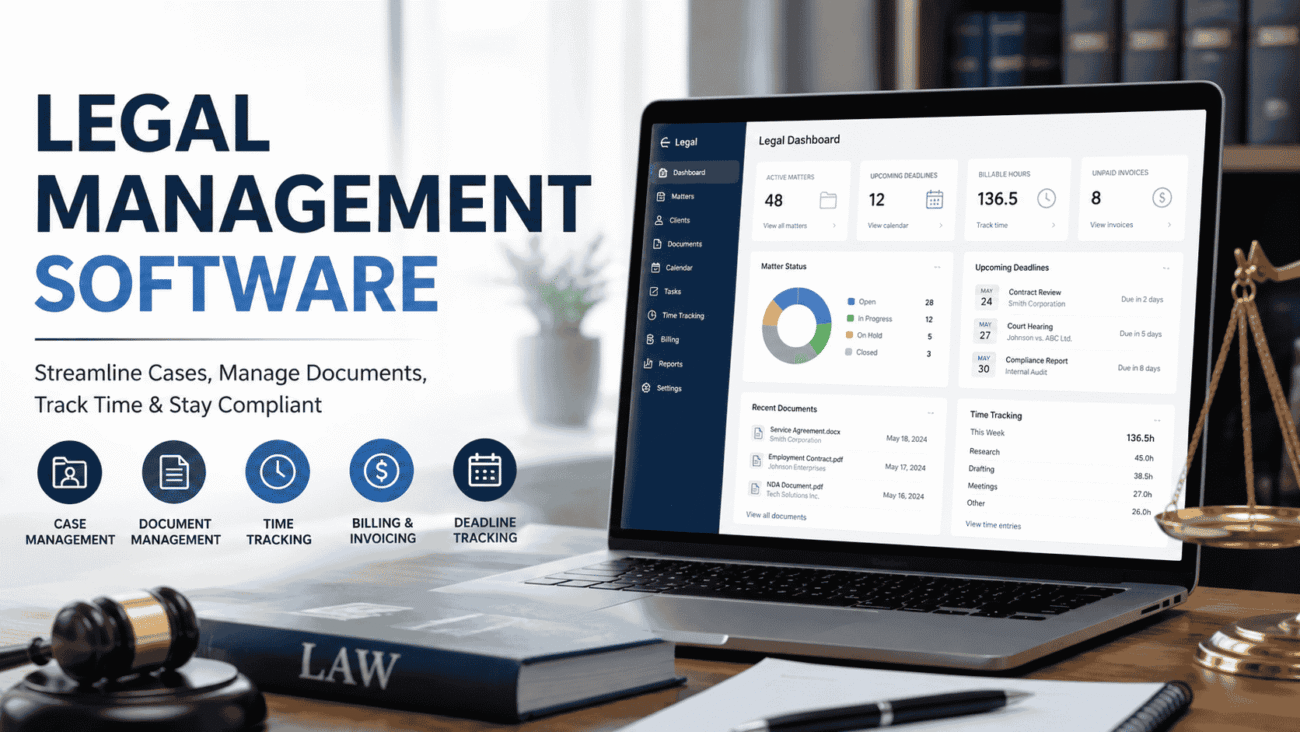
Managing legal work today involves far more than tracking court dates or storing contracts. Legal teams handle growing volumes of documents, compliance requirements, billing, communications, and deadlines. Without the right system, even experienced professionals can spend too much time on administrative tasks instead of legal work.
Legal management software brings these responsibilities into one organized platform. Whether you’re running a small law firm or overseeing an in-house legal department, the right solution helps streamline daily operations, improve collaboration, and reduce the risk of missed deadlines.
In this guide, you’ll learn what legal management software does, which features matter most, how enterprise legal management software differs from standard solutions, and what to consider before making a purchase.
What Is Legal Management Software?
Legal management software is a digital platform designed to help legal professionals organize cases, documents, client information, billing, calendars, and workflows from one centralized location.
Instead of switching between email, spreadsheets, cloud storage, and paper files, users can access everything they need within a single system.
Depending on the software, it may include tools for:
- Case management
- Document storage
- Time tracking
- Billing and invoicing
- Contract management
- Compliance monitoring
- Calendar and deadline tracking
- Client communication
- Reporting and analytics
The goal isn’t simply to replace paper files. It’s to make legal work more efficient while giving teams better visibility into ongoing matters.
Why Legal Teams Are Moving Away from Manual Processes
Many firms once relied on shared folders, spreadsheets, and email chains to manage legal work. While those methods may still work for very small practices, they become difficult to maintain as workloads increase.
Common challenges include:
- Lost or duplicated documents
- Missed court dates or deadlines
- Difficulty tracking billable hours
- Slow document searches
- Limited collaboration between departments
- Inconsistent client communication
- Manual reporting
Legal management software addresses these issues by creating structured workflows and keeping information organized in one place.
How Legal Management Software Works
Although every platform is different, most solutions follow a similar process.
Client and Matter Creation
The process begins by creating a client profile and opening a legal matter.
Each matter becomes a central workspace where documents, notes, emails, tasks, invoices, and deadlines are stored.
Instead of searching across multiple systems, team members can quickly access everything related to a specific case.
Document Management
Legal work generates a significant amount of paperwork.
Modern software stores documents securely while making them easy to organize using folders, tags, keywords, or matter numbers.
Many platforms also maintain version history, helping teams avoid confusion when multiple people edit the same document.
Task and Deadline Tracking
Missing a filing date or contract renewal can have serious consequences.
Legal management software includes calendars, reminders, and task lists that help professionals stay on schedule.
Many systems also allow recurring reminders for ongoing compliance obligations.
Billing and Time Tracking
For law firms, accurate billing is essential.
Instead of recording billable hours manually, lawyers can track time as they work.
Many platforms automatically generate invoices based on recorded activities, reducing administrative effort.
Reporting
Managers often need answers to questions like:
- How many active matters are open?
- Which clients generate the most revenue?
- How much time is spent on specific practice areas?
- Which deadlines are approaching?
Built-in reporting tools provide these insights without requiring manual calculations.
Key Features to Look For
Not every platform offers the same capabilities. Before comparing vendors, identify the features your organization truly needs.
Centralized Matter Management
Every legal matter should have its own organized workspace containing:
- Documents
- Emails
- Notes
- Contacts
- Tasks
- Billing records
- Deadlines
This reduces time spent searching for information.
Secure Document Storage
Legal documents often contain confidential information.
Look for software that provides:
- Permission-based access
- Encryption
- Automatic backups
- Audit trails
- Version control
Security should never be treated as an optional feature.
Calendar Integration
Legal professionals frequently manage overlapping deadlines.
Calendar synchronization with tools like Outlook or Google Calendar helps ensure appointments and filing dates remain visible across devices.
Workflow Automation
Automation can eliminate repetitive administrative work.
Examples include:
- Matter creation templates
- Automatic deadline reminders
- Approval workflows
- Invoice generation
- Task assignments
These features allow legal teams to spend more time on client work.
Search Capabilities
As document libraries grow, fast searching becomes increasingly valuable.
The best platforms allow users to search using:
- Client name
- Matter number
- Document title
- Keywords
- Dates
- Practice area
Quick searches improve productivity across the entire organization.
Client Communication Tools
Some legal management platforms include secure client portals.
Instead of exchanging sensitive documents through email, clients can securely upload files, review updates, and communicate directly within the platform.
Types of Legal Management Software
Different organizations have different requirements.
Understanding the available categories makes selecting software much easier.
Law Firm Management Software
Designed primarily for private practices, these platforms focus on:
- Case management
- Billing
- Client communication
- Time tracking
- Court deadlines
They’re often ideal for solo attorneys and small to mid-sized firms.
Enterprise Legal Management Software
Enterprise legal management software is built for large organizations with in-house legal departments.
Instead of focusing solely on litigation, these systems often manage:
- Corporate contracts
- Vendor agreements
- Legal spend
- Compliance programs
- Outside counsel management
- Risk management
- Legal operations reporting
Large companies typically require deeper integrations with finance, procurement, and compliance systems than traditional law firms.
Contract Lifecycle Management Software
Some organizations primarily manage contracts rather than litigation.
These platforms specialize in:
- Contract drafting
- Reviews
- Approvals
- Renewals
- Electronic signatures
- Contract analytics
They are particularly useful for procurement and corporate legal teams.
Compliance Management Platforms
Highly regulated industries often require software that tracks regulatory obligations alongside legal work.
These solutions help organizations monitor policy updates, audits, certifications, and internal compliance activities.
Who Benefits Most?
Legal management software serves a wide range of professionals, including:
- Law firms
- Corporate legal departments
- Government agencies
- Healthcare organizations
- Insurance companies
- Financial institutions
- Universities
- Nonprofit organizations
Even businesses without full-time lawyers often benefit from organizing contracts and legal documents in one secure location.
How to Choose the Right Legal Management Software
Selecting software shouldn’t start with vendor demonstrations. It should begin with understanding your own workflows.
Ask questions like:
- How many users need access?
- What types of legal matters do you manage?
- Do you need cloud access?
- Will the software integrate with existing accounting or CRM systems?
- What security standards are required?
- Is mobile access important?
- How quickly do you expect your legal team to grow?
Creating a checklist before evaluating products helps narrow the options and prevents paying for features you may never use.
Legal Management Software Comparison
Every legal team works differently. A solo attorney has different priorities than a multinational company with an in-house legal department. Before choosing a platform, compare solutions based on functionality rather than marketing claims.
| Feature | Basic Legal Software | Enterprise Legal Management Software |
|---|---|---|
| Case Management | Yes | Yes |
| Document Storage | Yes | Yes |
| Time Tracking | Yes | Yes |
| Billing & Invoicing | Yes | Advanced |
| Contract Management | Limited | Comprehensive |
| Legal Spend Management | Rare | Included |
| Outside Counsel Management | Limited | Advanced |
| Workflow Automation | Basic | Extensive |
| Compliance Tracking | Limited | Advanced |
| Reporting & Analytics | Standard | Custom dashboards |
| Multi-Department Collaboration | Basic | Enterprise-wide |
| ERP & Finance Integration | Limited | Extensive |
For smaller firms, a basic platform may provide everything needed. Larger organizations often require enterprise features to manage legal operations across multiple business units.
What Makes the Best Legal Management Software?
There isn’t a single solution that fits every organization. The best legal management software is the one that aligns with your workflow, security requirements, and long-term goals.
When comparing options, pay close attention to the following areas.
Ease of Use
A feature-rich platform won’t deliver value if employees struggle to use it.
Look for software with:
- Clean navigation
- Logical menus
- Fast search functionality
- Mobile-friendly access
- Minimal learning curve
The easier the software is to adopt, the faster your team can benefit from it.
Strong Security
Legal teams handle highly sensitive information.
Essential security features include:
- Multi-factor authentication
- Role-based permissions
- Data encryption
- Audit logs
- Secure cloud backups
These protections help reduce the risk of unauthorized access while supporting regulatory requirements.
Automation Features
Administrative work consumes valuable time.
The best platforms automate repetitive tasks such as:
- Deadline reminders
- Document templates
- Approval workflows
- Conflict checks
- Time capture
- Invoice generation
Automation allows legal professionals to focus more on legal strategy than paperwork.
Flexible Reporting
Managers often need quick insights into workload, budgets, and performance.
Useful reports may include:
- Active matters
- Closed matters
- Legal spend
- Outside counsel costs
- Contract status
- Upcoming deadlines
- Team productivity
Custom dashboards make these reports even more valuable for decision-makers.
Integration with Existing Systems
Software should complement your existing technology rather than replace everything.
Many organizations benefit from integration with:
- Accounting software
- CRM platforms
- Microsoft 365
- Google Workspace
- Document management systems
- HR software
- Enterprise resource planning (ERP) systems
Good integration reduces duplicate work and keeps information consistent across departments.
Benefits of Enterprise Legal Management Software
As legal departments grow, managing work across multiple teams becomes increasingly complex.
This is where enterprise legal management software stands out.
Key advantages include:
- Centralized legal operations
- Better visibility into legal spending
- Easier collaboration across departments
- Improved contract management
- Consistent approval workflows
- Stronger compliance oversight
- More accurate reporting
- Scalable infrastructure for growing organizations
Instead of treating legal work as isolated matters, enterprise platforms help organizations manage legal operations strategically.
Pros and Cons
No software is perfect. Understanding both advantages and limitations leads to better purchasing decisions.
Pros
- Centralizes legal information
- Improves collaboration
- Reduces administrative work
- Enhances document security
- Simplifies billing and time tracking
- Improves deadline management
- Supports compliance efforts
- Generates useful business insights
Cons
- Initial implementation requires planning.
- Data migration can take time.
- Employee training is essential.
- Enterprise platforms may involve higher licensing costs.
- Some advanced features may not be necessary for smaller firms.
Despite these considerations, organizations that successfully implement legal management software often experience smoother workflows and better visibility into legal operations.
Common Mistakes to Avoid
Even the most recommended legal management software can fall short if it’s implemented poorly.
Buying Based Only on Features
A long list of features doesn’t guarantee a better fit.
Choose software that solves your team’s daily challenges rather than one with tools you’ll rarely use.
Ignoring User Adoption
Employees are more likely to embrace software that fits naturally into their workflow.
Include lawyers, paralegals, administrators, and IT staff during the selection process to gather practical feedback.
Underestimating Data Migration
Moving years of legal records isn’t as simple as uploading files.
Before migration:
- Remove duplicate records
- Archive inactive matters
- Standardize naming conventions
- Verify client information
- Organize documents logically
Clean data makes the new system far more effective.
Overlooking Training
Training shouldn’t end after implementation.
Offer ongoing guidance so employees understand new features, automation tools, and reporting capabilities as the platform evolves.
Expert Tips Before You Buy
Choosing legal management software is a long-term investment. These practical tips can help you make a more informed decision.
Request a Live Demonstration
Marketing materials rarely show how software performs in real-world situations.
Ask vendors to demonstrate common workflows your team completes every day.
Test Search Functions
Finding documents quickly is one of the biggest productivity gains.
During a trial, test searches using:
- Client names
- Matter numbers
- Keywords
- Dates
- Document types
Fast and accurate search functionality becomes increasingly valuable as your database grows.
Evaluate Customer Support
Reliable customer support matters just as much as product features.
Ask about:
- Response times
- Training resources
- Onboarding assistance
- Knowledge base
- Product updates
Strong vendor support often makes implementation much smoother.
Think Long Term
Your legal department may look very different in five years.
Choose software that can scale with additional users, new practice areas, and evolving compliance requirements.
Real-World Scenario
Imagine a growing manufacturing company with an in-house legal department handling supplier agreements, employment matters, intellectual property, and compliance documentation.
Previously, contracts were stored across shared drives, email inboxes, and filing cabinets. Locating the latest version of an agreement often required contacting multiple departments.
After implementing legal management software, contracts, legal matters, deadlines, and communications were organized within a centralized system. Collaboration improved because everyone worked from the same information, and managers could monitor contract status without requesting manual updates.
While every organization’s experience differs, this example illustrates how centralized legal operations can improve efficiency beyond document storage alone.
Best Practices for Long-Term Success
Successful implementation doesn’t end once the software goes live.
Organizations should establish ongoing practices such as:
- Review user permissions regularly.
- Keep document templates updated.
- Archive closed matters according to retention policies.
- Train new employees during onboarding.
- Monitor workflow performance.
- Review reporting dashboards monthly.
- Schedule periodic data quality audits.
These habits help maintain an organized and reliable legal management system.
FAQs
1. What is legal management software used for?
Legal management software helps organize legal matters, documents, contracts, billing, deadlines, and client information within a centralized platform.
2. What is enterprise legal management software?
Enterprise legal management software is designed for large organizations that need to manage legal operations, legal spend, contracts, compliance, and outside counsel across multiple departments.
3. Is cloud-based legal management software secure?
Many cloud-based platforms include encryption, access controls, audit logs, and secure backups. Organizations should review each vendor’s security practices before making a decision.
4. Can small law firms benefit from legal management software?
Yes. Even small firms can improve organization, reduce administrative work, and streamline billing and document management with the right solution.
5. How do I choose the best legal management software?
Focus on usability, security, workflow automation, reporting, integrations, customer support, and scalability. A product that aligns with your team’s daily processes is often the best long-term choice.
Conclusion
Legal management software has become an essential tool for modern law firms and corporate legal departments. By bringing cases, contracts, documents, billing, and communication into one centralized platform, it helps teams work more efficiently while reducing administrative burden.
The best legal management software isn’t necessarily the platform with the most features—it’s the one that fits your organization’s size, workflows, and future growth. For larger businesses, enterprise legal management software offers advanced capabilities for legal spend, compliance, and enterprise-wide collaboration.
Before investing, take time to evaluate your needs, involve key stakeholders, and test potential solutions. A thoughtful selection process can lead to better productivity, stronger compliance, and a more organized legal operation for years to come.
