Technology has changed a lot over the past decade. Not too long ago, editing documents, photos, or videos usually required a desktop computer and specialized software. Today, things are much simpler. Most people can create and edit content directly from their smartphones or tablets. That’s where editable apps come in.
These apps allow users to modify, update, and customize different types of content from almost anywhere. Whether you’re writing a report, editing a photo, creating a presentation, or updating a PDF, there’s an app designed to help.
And honestly, that’s one reason why editable apps have become so popular.
In this guide, we’ll explore what editable apps are, their benefits, the different types available, and some of the best options you can try today.
What Are Editable Apps?
Editable apps are applications that allow users to create and modify digital content.
Instead of simply viewing information, users can make changes and save updates directly within the app.
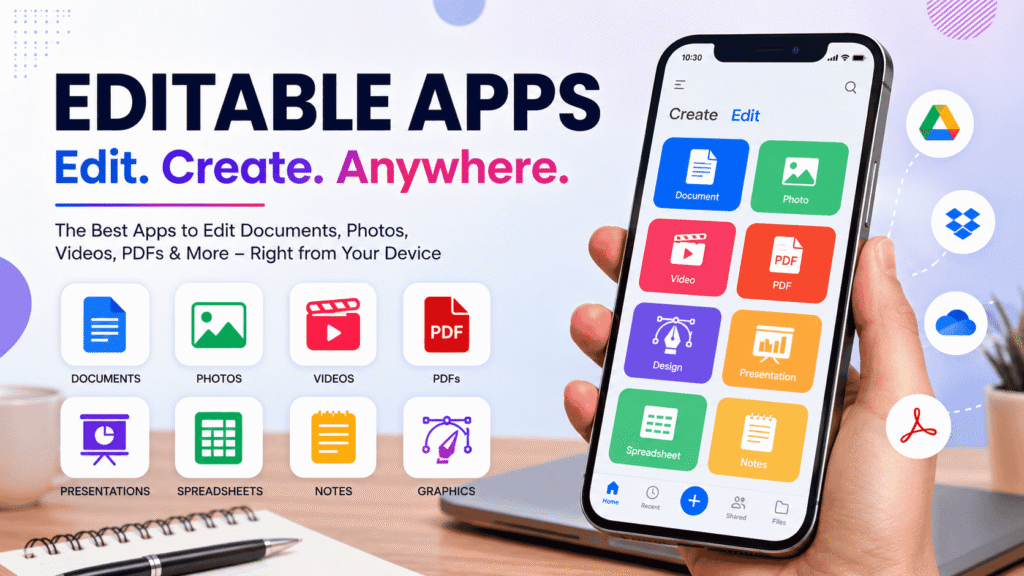
The content may include:
- Documents
- Images
- Videos
- PDFs
- Presentations
- Spreadsheets
- Notes
- Graphics
In simple terms, editable apps turn your device into a portable workspace.
That’s pretty useful in today’s fast-paced world.
Why Editable Apps Are So Popular
People want convenience.
Nobody enjoys waiting until they get home or reach the office just to make a small edit.
Editable apps solve that problem.
With the right app, you can work from:
- Home
- School
- Office
- Coffee shops
- Airports
- Public transport
Basically, anywhere.
Another reason for their popularity is flexibility.
Most modern editable apps automatically save your work and synchronize files across multiple devices.
That means you can start a project on your phone and finish it later on your laptop.
Main Types of Editable Apps
Not all editing apps do the same thing.
Different apps focus on different kinds of content.
Let’s look at the most common categories.
Document Editing Apps
These apps are designed for creating and editing text-based files.
They are commonly used for:
- Reports
- Essays
- Business proposals
- Notes
- Resumes
Students and professionals rely on these tools every day.
Photo Editing Apps
Photos often need adjustments before sharing online.
Photo editing apps make that easy.
Common features include:
- Cropping
- Filters
- Brightness adjustments
- Color correction
- Background removal
Even a simple edit can make an image look much better.
Video Editing Apps
Video content continues to grow in popularity.
Whether you’re creating YouTube videos or short social media clips, video editing apps help improve quality.
Users can:
- Trim footage
- Add music
- Insert text
- Create transitions
- Apply effects
Many creators now edit videos entirely on their phones.
PDF Editing Apps
PDF files are used almost everywhere.
Businesses, schools, and government offices frequently rely on them.
PDF editing apps allow users to:
- Fill forms
- Add signatures
- Highlight text
- Edit content
- Add comments
These tools can save a surprising amount of time.
Graphic Design Apps
Graphic design is no longer limited to professionals.
Modern editable apps make design accessible to almost everyone.
Users can create:
- Social media graphics
- Flyers
- Posters
- Logos
- Marketing materials
And many apps offer ready-made templates.
Benefits of Using Editable Apps
There are several reasons why people prefer editable apps.
Increased Productivity
The ability to work anywhere helps users complete tasks faster.
You don’t have to wait until you’re sitting at a desk.
A quick edit can be made immediately.
Better Collaboration
Many editable apps support real-time collaboration.
Multiple users can work on the same file simultaneously.
This is especially useful for teams.
Cost Savings
Many apps offer free versions with excellent features.
Even premium subscriptions are often affordable.
For students and small businesses, that’s a big advantage.
Easy Accessibility
Your files can often be accessed from multiple devices.
This flexibility makes it easier to stay organized.
Automatic Backups
Most modern apps automatically save your progress.
That means less risk of losing important work.
Features to Look for in Editable Apps
Not all editable apps are created equal.
Before downloading one, consider these important features.
User-Friendly Interface
The best apps are easy to understand.
A clean design makes editing faster and less frustrating.
Cloud Storage Integration
Cloud support allows files to stay synchronized.
Popular services include:
- Google Drive
- Dropbox
- OneDrive
Collaboration Tools
If you work with others, collaboration features are important.
They allow multiple people to edit content together.
Offline Access
Internet connections aren’t always available.
Offline editing can be very helpful.
Security Features
Strong security helps protect sensitive files and information.
Always check privacy settings before using an app.
Best Editable Apps for Documents
Document editing is one of the most common uses for editable apps.
Google Docs
Google Docs remains one of the most popular choices.
It offers:
- Real-time collaboration
- Automatic saving
- Cloud storage
- Free access
Many users rely on it daily.
Microsoft Word
Microsoft Word is still a favorite for professional document creation.
Features include:
- Advanced formatting
- Templates
- Collaboration tools
- Offline editing
It’s trusted by businesses worldwide.
WPS Office
WPS Office combines multiple productivity tools into one application.
Users can work with:
- Documents
- Spreadsheets
- Presentations
It’s a strong alternative for mobile users.
Best Editable Apps for Photos
Photo editing apps continue to improve every year.
Snapseed
Snapseed is powerful yet beginner-friendly.
Features include:
- Filters
- Cropping tools
- HDR effects
- Selective editing
And it’s free.
Adobe Lightroom
Lightroom provides professional-level editing tools.
Users can adjust:
- Exposure
- Contrast
- Color balance
- Sharpness
Many photographers prefer it.
PicsArt
PicsArt combines editing and creativity.
Users can add:
- Text
- Stickers
- Effects
- Artistic filters
It’s especially popular among social media creators.
Best Editable Apps for Videos
Video editing apps are more powerful than ever.
CapCut
CapCut has become extremely popular.
It offers:
- Templates
- Effects
- Music integration
- Text animations
It’s ideal for short-form content.
InShot
InShot focuses on simplicity.
Users can quickly:
- Trim videos
- Add music
- Adjust speed
- Export content
It’s beginner-friendly.
Adobe Premiere Rush
Rush provides a balance between professional features and ease of use.
It works across multiple devices, which is a nice bonus.
Best Editable Apps for Graphic Design
Design apps help users create visually appealing content.
Canva
Canva is one of the most widely used design tools available.
Features include:
- Thousands of templates
- Drag-and-drop editing
- Team collaboration
- Brand tools
It’s suitable for beginners and professionals.
Adobe Express
Adobe Express offers powerful design features in a simple interface.
Users can create:
- Social posts
- Advertisements
- Presentations
VistaCreate
VistaCreate is another excellent design platform.
It includes a large collection of templates and creative assets.
Many users consider it a strong Canva alternative.
Comparison Table of Popular Editable Apps
| App | Category | Best For |
|---|---|---|
| Google Docs | Documents | Team collaboration |
| Microsoft Word | Documents | Professional writing |
| Snapseed | Photos | Free editing |
| Lightroom | Photos | Advanced photo editing |
| CapCut | Videos | Social media content |
| InShot | Videos | Quick video editing |
| Adobe Acrobat | PDFs | PDF management |
| Canva | Design | Graphic creation |
| Adobe Express | Design | Marketing content |
How to Choose the Right Editable App
The best app depends on your needs.
Ask yourself a few simple questions.
What Content Do You Edit Most?
Think about whether you mainly work with:
- Documents
- Photos
- Videos
- PDFs
- Graphics
This will narrow down your options.
Do You Need Collaboration Features?
If multiple people work on the same project, collaboration tools become very important.
Are Free Features Enough?
Many users don’t need premium subscriptions.
Free plans may provide everything required.
Do You Work on Mobile Devices?
Some apps perform better on smartphones than others.
Check reviews before downloading.
Common Mistakes People Make
Even good apps can be used poorly.
Here are some common mistakes.
Ignoring Updates
Updates often fix bugs and improve security.
Always keep apps updated.
Not Backing Up Files
While cloud storage helps, having additional backups is a smart idea.
Using Too Many Apps
Switching between multiple editing tools can become confusing.
It’s often better to master a few reliable apps.
Forgetting Privacy Settings
Some apps collect user data.
Always review privacy options carefully.
The Future of Editable Apps
Editable apps continue to evolve.
Artificial intelligence is becoming a major part of modern editing tools.
Many apps now offer:
- AI writing assistance
- Automatic photo enhancement
- Smart video editing
- Background removal
- Content suggestions
These features help users work faster and more efficiently.
And honestly, we’re probably only seeing the beginning.
As technology improves, editable apps will likely become even more powerful and easier to use.
FAQs
What are editable apps?
Editable apps are applications that allow users to create, modify, and update digital content such as documents, photos, videos, and PDFs.
Are editable apps free?
Many editable apps offer free versions, although premium features may require a subscription.
Which editable app is best for documents?
Google Docs and Microsoft Word are among the most popular choices.
What is the best editable app for photos?
Snapseed is great for beginners, while Adobe Lightroom offers more advanced editing tools.
Can editable apps be used on Android and iPhone?
Yes. Most major editable apps support both Android and iOS devices.
Which editable app is best for graphic design?
Canva remains one of the most popular options because of its simplicity and large template library.
Conclusion
Editable apps have transformed the way people create and manage content. Whether you’re writing documents, editing photos, creating videos, updating PDFs, or designing graphics, these tools make the process easier and more convenient.
The best editable apps combine flexibility, ease of use, and powerful features. Tools like Google Docs, Canva, Snapseed, CapCut, and Adobe Acrobat continue to help millions of users stay productive from virtually anywhere.
As mobile devices become even more powerful, editable apps will play an even bigger role in our daily lives. Choosing the right app today can save time, improve productivity, and help you create better content with less effort.